Blog

  • CookUnity vs. Splendid Spoon vs. Daily Harvest: Which Healthy Meal Delivery Fits Your Day

    CookUnity vs. Splendid Spoon vs. Daily Harvest: Which Healthy Meal Delivery Fits Your Day

    Some links on our site may earn us a commission at no extra cost to you. Learn more.

    This article is for general information only and isn’t medical or nutrition advice. Meal delivery services are not a substitute for personalized guidance — talk to a physician or registered dietitian before making significant changes to your diet.

    If you want the short answer: for the widest variety of chef-made dinners with almost no prep, CookUnity is the strongest all-around healthy meal delivery pick. If your week runs on smoothies and soup more than sit-down dinners, Splendid Spoon is built for that pace. If you just want a stocked freezer of grab-and-blend cups for mornings you’d otherwise skip breakfast, Daily Harvest is the cheapest way in. None of the three is a weight-loss program — they’re a convenience trade, and which one is “worth it” depends entirely on how much of your week you’re trying to hand off.

    Our picks at a glance for healthy meal delivery

    • Best overall: CookUnity — 300+ rotating dishes from independent chefs, delivered fresh (never frozen) and ready to heat in about 5 minutes.
    • Best budget: Daily Harvest — the lowest published per-item price of the three, plus one-time boxes with no subscription required.
    • Best for minimal cooking (plant-forward, no oven needed): Splendid Spoon — smoothies arrive pre-blended and ready to drink, soups and bowls just need the microwave, or nothing at all.

    CookUnity vs. Splendid Spoon vs. Daily Harvest: quick comparison

    ServicePrice per servingMeal styleCooking requiredMenu variety/rotationDietary accommodations
    CookUnity~$10.39–$15.29/meal (drops as weekly plan size grows), plus $9.99/week delivery unless you add UnityPass ($10.99/mo)Restaurant-style dinners from independent chef partnersNone — microwave or oven, roughly 5 minutes300+ dishes site-wide; menu rotates weekly by chefFilters for vegan, vegetarian, gluten-free, dairy-free, high-protein, low-carb, and more
    Splendid Spoon~$9.02–$13.49/serving depending on category mix; most popular plan averages about $11.50/mealSmoothies, soups, grain bowls, and noodle bowls only — no traditional entréesNone to minimal — smoothies are pre-blended and ready to drink; bowls/soups can be eaten cold or microwavedWeekly-rotating menu within four fixed categories; you can’t opt out of smoothiesPlant-based by default; filters for low-sodium, low-carb, soy-free, and nut-free
    Daily Harvest~$7–$12/item; smoothies specifically $8.49–$9.49 eachFrozen cups — smoothies, harvest bowls, soups, flatbreads, and “forager” bowlsLight — blend smoothies (~1 minute), microwave or stovetop bowls (3–5 minutes), oven-bake flatbreads (~8 minutes)Large rotating catalog; mix-and-match across 9, 14, or 24-item boxes, or order one-time without a subscription100% plant-based; many items are gluten-free, and the site filters by allergen

    CookUnity: chef-made variety for people done with the same six dinners

    CookUnity’s pitch is different from most of this category: instead of one central test kitchen, it runs a network of independent chefs who each contribute their own dishes, so the menu reads more like a rotating collection of restaurant specials than a standard meal-kit lineup. The company advertises over 300 dishes across its network, with new options added weekly, and meals arrive refrigerated — not frozen — ready to heat in a microwave or oven in about five minutes with no cooking involved.

    Assortment of colorful prepared meal containers with vegetables, grains, and protein, representing a chef-made meal delivery variety
    A wide, rotating menu across chef partners is CookUnity’s core advantage over single-kitchen competitors.

    Where it wins: variety and format. There’s no other service in this comparison that gets close to 300+ dishes, and because dishes come from different chefs, flavors and cuisines vary far more than a single-kitchen operation can manage. Meals also skip the frozen-brick problem — texture on proteins and vegetables tends to hold up better after refrigerated shipping than after a freeze-thaw cycle.

    Honest drawbacks: the per-meal price climbs fast at small plan sizes — a 4-meal/week plan runs meaningfully more per meal than a 16-meal/week plan — and the $9.99 weekly delivery fee is easy to forget when comparing headline prices. Because dishes come from many different chefs, quality and portion size can vary dish to dish more than with a single-kitchen competitor.

    Who should buy it: anyone who gets bored of meal delivery fast, or a household that wants dinner solved without touching a knife. Who should skip it: anyone ordering fewer than 6–8 meals a week, since the per-meal math is weakest at small plan sizes — and anyone specifically chasing a weight-loss calorie target, which is a different job better matched by our Factor vs. Trifecta vs. BistroMD comparison.

    Splendid Spoon: the smoothie-and-soup format built for zero cooking

    Splendid Spoon isn’t trying to replace your stove — it’s trying to replace the parts of your day where you’d otherwise skip a meal or grab something worse. Every plan is built from four fixed categories (smoothies, soups or grain bowls, noodle dishes, and mains), and you can’t opt out of any category, even if you’d rather load up on bowls. Meals ship frozen with dry ice, and smoothies specifically arrive pre-blended and ready to drink — no blender required, which is a real point of difference from Daily Harvest’s blend-it-yourself cups.

    Where it wins: genuine zero-effort mornings and lunches. A pre-blended smoothie you grab from the freezer and drink, plus a soup or bowl that’s fine cold or microwaved in under two minutes, is about as close to “no prep” as prepared food gets. The plant-forward menu also accommodates low-sodium, low-carb, soy-free, and nut-free needs through built-in filters.

    Honest drawbacks: the rigid category structure is the main complaint — you’re locked into a set ratio of smoothies whether you want them or not, and there’s no traditional dinner entrée option the way CookUnity offers. Shipping isn’t free below roughly a 10-item order, which changes the math for anyone testing a small plan.

    Who should buy it: people whose problem meals are breakfast and lunch, not dinner, and anyone who wants a mostly plant-based format without committing to full-on veganism elsewhere. Who should skip it: anyone who wants a hot, sit-down dinner most nights, or anyone who dislikes smoothies enough to resent paying for a mandatory category every week.

    Daily Harvest: plant-forward cups for grab-and-blend mornings

    Daily Harvest is the most “assemble it yourself” of the three. Everything ships frozen in single-serving cups — smoothies, harvest bowls, soups, flatbreads, and “forager” bowls — and you do a small amount of the work: blend a smoothie with your own liquid in about a minute, microwave or stovetop a bowl in three to five minutes, or oven-bake a flatbread in about eight. The company was acquired by yogurt maker Chobani, with the deal publicly announced and the site stating the existing product line, pricing structure, and customer accounts would continue unchanged. As of 2026, Daily Harvest also lets you order a one-time box with no subscription commitment, a flexibility change from its earlier subscription-only model.

    Fruit smoothie bowl topped with granola and berries, representing a blend-it-yourself smoothie format meal delivery
    Daily Harvest’s cups require a short blend, microwave, or bake step — more hands-on than a fully ready-to-eat meal, but still fast.

    Where it wins: price per item and freezer flexibility. At $8.49–$9.49 for a smoothie cup and roughly $7–$12 for other formats, it’s the lowest per-item cost in this comparison, and a stocked freezer means you’re never stuck without a fast option, even on weeks you don’t reorder.

    Honest drawbacks: “ready to eat” is a stretch here compared to CookUnity or Splendid Spoon’s smoothies — you’re still blending, microwaving, or baking every item yourself, and portions run smaller, so a single cup is closer to a snack or light meal than a full dinner. The company has also faced past product-safety litigation tied to a 2022 recall, which is worth knowing even though it predates the current Chobani-owned era.

    Who should buy it: anyone who wants a cheap, no-commitment way to stock plant-based backups in the freezer, especially for breakfast or a light lunch. Who should skip it: anyone who wants a genuinely hands-off dinner, or anyone who wants full entrée-sized portions rather than cup-sized ones — that’s a better match for CookUnity, or for the freezer-and-container systems in our Meal Prep Systems comparison.

    Our original analysis: projected monthly cost at each service’s typical plan size

    Per-meal pricing alone is misleading here because “a meal” means something different at each service — a CookUnity dinner, a Splendid Spoon soup-or-smoothie, and a Daily Harvest single-serving cup aren’t the same portion. So we ran our own projection: take each service’s most commonly recommended weekly plan size, apply its published per-item pricing (as of publication), add shipping where it applies, and project out to a 4.33-week month. This is our own estimate, not a number published by any of the three companies — show your own math against your household’s actual order size before you commit to a plan.

    ServicePlan size usedPer-item price usedWeekly cost (math shown)Projected monthly cost
    CookUnity8 meals/week$12.69/meal8 × $12.69 = $101.52, + $9.99 delivery = $111.51$111.51 × 4.33 weeks ≈ $482.84
    Splendid Spoon12 meals/week$11.50/meal (average)12 × $11.50 = $138.00, shipping free above the ~10-item threshold$138.00 × 4.33 weeks ≈ $597.54
    Daily Harvest14 items/week$8.99/item (average across formats)14 × $8.99 = $125.86, shipping free at 12+ items$125.86 × 4.33 weeks ≈ $545.15

    Two things stand out in our own math. First, Splendid Spoon’s popular 12-meal plan actually projects to the highest monthly total of the three, despite a mid-range per-meal price, simply because it’s commonly ordered at a higher weekly volume than CookUnity’s 8-meal plan. Second, Daily Harvest’s per-item price looks like the budget winner — and it is, on a strict dollars-per-item basis — but remember those items are single-serving cups, not full dinners, so you may need two Daily Harvest items to equal one CookUnity or Splendid Spoon meal in practice. Adjust the plan size in this table to your own household’s real order before treating any of these totals as your bill.

    How we compared these healthy meal delivery services

    We did not order or hands-on test meals from CookUnity, Splendid Spoon, or Daily Harvest for this comparison. Instead, we verified each service’s current published menus, plan structures, and per-item pricing directly against each company’s own site and support pages, cross-checked those figures against independent 2026 review coverage, and looked for recurring patterns in long-term subscriber feedback — recurring praise, recurring complaints, and any notable company changes (like Daily Harvest’s 2025 acquisition by Chobani or its move to one-time, no-subscription boxes). Prices are approximate, current as of publication, and change frequently — confirm the latest price with the retailer before buying. For more on how we reach a verdict and where our limits are, see our editorial standards.

    This comparison sits in our Kitchen & Cooking library alongside guides to the tools and systems that support a lower-effort week — including how to carry leftovers or delivery meals to work once you’ve got a freezer full of them.

    FAQ: CookUnity vs. Splendid Spoon vs. Daily Harvest

    Which is cheaper: CookUnity, Splendid Spoon, or Daily Harvest?

    On a strict per-item basis, Daily Harvest is the cheapest, with smoothies at $8.49–$9.49 each and other items roughly $7–$12. But Daily Harvest’s items are single-serving cups rather than full dinners, so it isn’t a true apples-to-apples comparison with CookUnity’s restaurant-style meals or Splendid Spoon’s larger bowls. In our own projected monthly-cost estimate at each service’s typical plan size, CookUnity actually came out lowest overall (~$483/month at an 8-meal plan), with Daily Harvest in the middle and Splendid Spoon’s popular 12-meal plan highest (~$598/month).

    Do I need to cook anything with these services?

    Not in the traditional sense. CookUnity meals need a microwave or oven for about five minutes. Splendid Spoon smoothies are pre-blended and ready to drink, and its soups/bowls can be eaten cold or microwaved briefly. Daily Harvest requires the most hands-on step of the three — blending smoothies, microwaving or stovetop-heating bowls, or oven-baking flatbreads for about eight minutes — though none of it qualifies as actual cooking.

    Can I skip weeks or cancel anytime?

    All three are structured as recurring weekly subscriptions that auto-renew unless you skip or cancel before the weekly cutoff, which is standard for this category. Daily Harvest is the exception as of 2026: it now also offers one-time boxes with no ongoing subscription required, which is useful if you just want to try it once.

    Are any of these built for weight loss?

    No — none of the three services in this comparison is designed or marketed as a weight-loss program. They’re built around convenience, variety, and reducing cooking and decision fatigue, not calorie targets or macro programming. If weight loss is your specific goal, our Factor vs. Trifecta vs. BistroMD comparison covers services actually built around that use case.

    Which service has the most menu variety?

    CookUnity, by a wide margin. Its chef-partner network gives it over 300 rotating dishes site-wide, spanning far more cuisines and formats than either Splendid Spoon’s four fixed categories or Daily Harvest’s cup-based catalog.

    Do any of these accommodate vegan, gluten-free, or dairy-free diets?

    Yes, all three offer filters for common dietary needs. CookUnity’s menu-wide filters include vegan, vegetarian, gluten-free, and dairy-free options alongside its full omnivore menu. Splendid Spoon is plant-based by default and filters further for low-sodium, low-carb, soy-free, and nut-free needs. Daily Harvest’s entire catalog is 100% plant-based, with many items also gluten-free.

  • Rabbit Hutch: Indoor vs. Outdoor vs. Convertible Compared

    Rabbit Hutch: Indoor vs. Outdoor vs. Convertible Compared

    Some links on our site may earn us a commission at no extra cost to you. Learn more.

    Published July 26, 2026. Updated September 9, 2026.

    This is general information, not veterinary advice. Every rabbit’s space, temperament, and local climate are different — check with your vet or a rabbit-savvy rescue before finalizing a housing setup.

    The right rabbit hutch depends less on the brand and more on where it’s going to live. An indoor wire cage like the MidWest Wabbitat Deluxe wins on price and footprint for a house rabbit with daily free-roam time. A weatherproof wood hutch like the PawHut D51-087 is built to survive rain and temperature swings outside. And a convertible hutch-and-run like the TRIXIE Natura splits apart so you can run it indoors, outdoors, or both. None of the three meets the full-time floor space rabbit welfare groups recommend on its own. All three work as a sleeping/retreat base, not a lifelong enclosure.

    I have set up pet gear in cramped apartments, and floor space always beats the price tag on the box. A cage that looks roomy in a photo often shrinks fast once furniture and food go in. That gap between marketing space and usable space is exactly what the square-footage math below is checking.

    Rabbit Hutch Indoor vs. Outdoor vs. Convertible: Our Picks at a Glance

    • Best overall: TRIXIE Natura Hutch with Outdoor Run — the hutch detaches from the run, so it’s the only one of the three that genuinely works indoors, outdoors, or both.
    • Best budget: MidWest Wabbitat Deluxe Rabbit Home — the cheapest of the three at roughly $85, with an elevated loft that adds usable floor space to a small indoor footprint.
    • Best upgrade: PawHut Indoor/Outdoor 2-Story Rabbit Hutch (D51-087) — fir wood, an asphalt shingle roof, and a 4.8-out-of-5 rating across 63 Home Depot reviews for standing up to weather.

    How the Three Rabbit Hutch Styles Compare

    MidWest Wabbitat Deluxe (Indoor)PawHut D51-087 (Outdoor)TRIXIE Natura (Convertible)
    Best forIndoor house rabbits with daily exercise timePermanent outdoor or patio/garage housingHouseholds that split time indoors and outdoors, or move seasonally
    Approx. price$84.99$140.99$131.43
    Footprint39.5″L x 23.75″W x 19.75″H53.75″L x 19.75″W x 36.75″HHutch 30″x21″x28″ + run 31″x21″x23″
    MaterialPowder-coated wire, plastic panFir wood frame, asphalt shingle roof, wire run panelFir wood hutch, wire mesh run
    Weatherproofed?No — indoor use onlyYes — sealed roof, elevated legs off wet groundPartial — hutch resists splashes; check your climate before leaving it out year-round
    Levels/layout2 (wire loft + solid floor)2-story, enclosed sleeping side + open run side1-level hutch, detachable run attaches for outdoor time

    Indoor Wire Cage: MidWest Wabbitat Deluxe Rabbit Home

    The Wabbitat Deluxe is the cage most first-time indoor rabbit owners land on. It’s the cheapest of the three at around $85, and assembly is tool-free. The elevated wire loft gives a small footprint a second usable level for eating and lounging, while the solid plastic pan floor stays gentle on rabbit feet below.

    Rabbit sitting inside an open wire cage typical of an indoor hutch setup
    An indoor wire cage like the Wabbitat Deluxe works as a home base, not a full-time enclosure.
    • Where it wins: price, easy setup, good ventilation, and a footprint that fits a bedroom or living room corner.
    • Honest drawback: at roughly 6.5 square feet of floor space, it’s well under what welfare guidance recommends for full-time housing — it only works paired with several hours of supervised free-roam or exercise-pen time daily.
    • Who should buy: apartment or house-rabbit owners who plan to let their rabbit out for real exercise time and just need a safe base cage.
    • Who should skip: anyone planning to keep a rabbit (or a bonded pair) in it around the clock — size up or add a permanent pen instead.

    Outdoor Weatherproof Hutch: PawHut Indoor/Outdoor 2-Story Rabbit Hutch

    The PawHut D51-087 is the standout for anyone housing a rabbit in a yard, patio, or garage. It’s built from fir wood with a water-resistant composite asphalt roof and legs that lift the floor off wet ground. Its two-story layout separates an enclosed sleeping compartment from an open-air run, a real design advantage over hutches that are just one box. It also carries a 4.8-out-of-5 rating across 63 reviews at Home Depot. That is a meaningfully large, consistent sample for this category rather than a handful of first-week reviews.

    Two rabbits inside a rustic wooden outdoor hutch built to handle weather
    Outdoor hutches need a sealed roof and elevated floor to actually shed rain and stay dry underneath.
    • Where it wins: real weatherproofing, elevated construction, and a two-story layout that gives a private retreat and open play space in one footprint.
    • Honest drawback: fir wood still needs occasional resealing in wet climates, and it has no insulation for cold winters — a rabbit-savvy vet or rescue should weigh in on whether your region allows safe year-round outdoor housing.
    • Who should buy: households with outdoor space wanting a durable, semi-permanent hutch that can handle rain.
    • Who should skip: cold-climate owners without a plan to insulate or bring the hutch indoors in winter.

    Convertible/Modular: TRIXIE Natura Hutch with Detachable Run

    The TRIXIE Natura earns the “convertible” label honestly: the hutch and the run are separate pieces that bolt together. It can run as a compact indoor cage alone, or as a full indoor/outdoor setup with the run attached for supervised yard time. That flexibility is the whole pitch. It’s the one option here you can move between rooms or seasons without buying a second product.

    • Where it wins: genuine modularity — split it apart for indoor-only use, or reassemble it outdoors when weather allows.
    • Honest drawback: combined footprint (about 8.9 square feet) still falls short of full-time housing minimums, and reconfiguring the hardware between setups takes real time and effort.
    • Who should buy: renters, seasonal setups, or anyone who wants one hutch that works both indoors and outdoors rather than owning two products.
    • Who should skip: anyone who wants a single fixed placement and has no interest in ever taking it apart.

    Original Data: What You’re Really Paying Per Square Foot

    Spec sheets list length, width, and height. They don’t tell you what you’re paying for usable floor space, and none of the retailers above run this math. We did, using each hutch’s listed dimensions converted to square feet:

    • Wabbitat Deluxe: 39.5″ x 23.75″ = 938.1 sq in ÷ 144 = 6.51 sq ft of floor space. $84.99 ÷ 6.51 = $13.05 per square foot.
    • PawHut D51-087: 53.75″ x 19.75″ = 1,061.6 sq in ÷ 144 = 7.37 sq ft per level, and it has two stacked levels = 14.74 sq ft total. $140.99 ÷ 14.74 = $9.57 per square foot — the best space-per-dollar of the three despite the highest sticker price.
    • TRIXIE Natura: hutch (30″ x 21″ = 4.38 sq ft) plus run (31″ x 21″ = 4.52 sq ft) = 8.90 sq ft combined. $131.43 ÷ 8.90 = $14.77 per square foot — the priciest per square foot, which is the tradeoff for buying flexibility instead of raw space.

    Worth noting: even the roomiest of the three, the PawHut at 14.74 combined square feet, covers only about 69% of the 21.5-square-foot sheltered-area minimum the Rabbit Welfare Association & Fund recommends for a single hutch space. None come close to the 60 square feet (10ft x 6ft) the House Rabbit Society of Chicago recommends for a pair of average-sized rabbits. That’s a chapter that says it’s “moving away from” small 4-by-4-foot pens entirely because they’re “not sufficient space for any rabbit.” Read as intended, as a base plus real daily exercise time and not a 24/7 enclosure, all three hutches are reasonable. Read as a rabbit’s whole world, none of them are.

    How We Compared These Rabbit Hutches

    This comparison is built from manufacturer specs cross-referenced against verified owner reviews on Home Depot, Chewy, and Petco. We looked for long-term reliability patterns: recurring complaints about hardware, weatherproofing, and rabbit safety over months of use, rather than first-week impressions. Our full process is outlined in our editorial standards. Prices are approximate, current as of publication, and change frequently — confirm the latest price with the retailer before buying.

    Furnishing a whole small-pet setup? Our comparisons of wire cage vs. glass tank vs. C&C enclosure options and guinea pig bedding cover the neighboring cages, and our bird cage comparison runs the same indoor-vs-outdoor tradeoffs for feathered pets. See more housing and gear picks in Pets.

    FAQ: Rabbit Hutches

    What size hutch does a rabbit actually need?
    Bigger than most store-bought hutches provide on their own. The Rabbit Welfare Association & Fund recommends a minimum sheltered area of about 2m x 1m (roughly 21.5 sq ft) plus a much larger exercise area, and the House Rabbit Society of Chicago recommends at least 10ft x 6ft (60 sq ft) of space for a pair of average rabbits.

    Can a rabbit live in an outdoor hutch year-round?
    It depends heavily on climate, insulation, and predator protection — this is a question for a vet or rabbit-savvy rescue familiar with your region, not a one-size-fits-all yes.

    Is an indoor cage enough on its own?
    No — indoor cages like the Wabbitat Deluxe are meant as a sleeping/retreat base paired with several hours of supervised free-roam or exercise-pen time daily, not a full-time enclosure.

    What’s the difference between a hutch and a run?
    A hutch is the enclosed sleeping/shelter box; a run is an attached open-air or open-mesh play space. Convertible designs like the TRIXIE Natura let you use the hutch alone or attach the run for extra space.

    How much does a good rabbit hutch cost?
    In this comparison, prices ranged from about $85 for an indoor wire cage to about $141 for a weatherproof outdoor hutch. Prices change frequently, so confirm the current price with the retailer before buying.

    Do rabbits need a hutch if they already get daily exercise pen time?
    Yes — rabbits still need a defined safe base for sleeping, eating, and retreating, even with generous exercise time elsewhere.

  • Where You Buy Decides Which Family Card Game Wins

    Where You Buy Decides Which Family Card Game Wins

    Some links on our site may earn us a commission at no extra cost to you. Learn more.

    Updated August 2026: prices and stock below were re-checked on each publisher’s own store on 31 August 2026, when both Mattel decks read Out of Stock. Mattel publishes no game length for either deck.

    Order the family card game from the publisher and the answer is Exploding Kittens Original Edition at $19.99. It is the only one of these three you can actually put in a cart on its maker’s own store today, and it takes the ledger below at 68.1 points out of 100. Buy off a retail shelf instead, where stock is somebody else’s problem, and the UNO Card Game (Mattel item 42003, $6.49) wins the same four axes at 73.3. Skip-Bo Ultimate Sequencing Card Game (item 42050, $8.49) loses both tallies, at 49.6 and 49.5. It is the one to skip.

    No one here played these three decks for this comparison. Every figure below came off the publishers’ own product pages and catalogue feeds on 31 August 2026, and where a publisher prints nothing, this page says so instead of filling the gap.

    Why This Comparison Skips a Cost-Per-Player-Hour Number

    The computation needed four inputs. Box price. Average players per session. Average session length. Number of sessions over three years. Exactly one of those four is published by anyone. Exploding Kittens LLC prints 15 min on its Original Edition product page. Mattel prints no game length at all on its UNO 42003 page or its Skip-Bo 42050 page, and no publisher prints an average player count or a sessions-per-year figure, because no publisher can know either.

    Dividing a real price by three guesses produces a number that looks like research and is not. A neat-looking cents-per-hour spread built that way would be a finding about the assumptions behind it, not about the card games themselves.

    What is left is what the publishers will actually stand behind.

    Published by the makerExploding Kittens Original EditionUNO Card Game (42003)Skip-Bo (42050)
    Price on the maker’s own store$19.99$6.49$8.49
    Cards in the box56112162
    Players the maker stands behind2-52-102-6
    Minimum age7+7+7+
    Published game length15 minnot publishednot published
    Orderable on the maker’s store, 31 Aug 2026yesOut of StockOut of Stock
    Appears in the maker’s own category feedyesnoyes

    Age is on that table once and then never again. All three publishers print 7+, so it cannot separate them. If age banding is the thing you are actually deciding, our family board games by age comparison is the page for it.

    Counting Every Product on Mattel’s Own UNO Page

    Mattel’s UNO collection lists 25 products. The plain 112-card deck is not one of them.

    Three people playing a card game at a green felt table with a rulebook open in front of them
    Three players at a felt-topped table, with an open rulebook and card stacks in front of them.

    We pulled the product feed behind shop.mattel.com/collections/uno twice on 31 August 2026, and a second page of it, which came back empty. Twenty-five products, total. Tournament sets. A card shuffler. A championship belt. UNO Flip, UNO Show ‘Em No Mercy, and a long run of licensed decks. No entry titled UNO Card Game, and no entry carrying item number 42003. Mattel’s broader card-games collection returned 25 products as well, and the base deck is not in that one either.

    The product page for 42003 does exist. It is priced at $6.49, it describes 112 cards for 2 to 10 players ages 7 and up, and on 31 August 2026 it read Out of Stock. Skip-Bo’s 42050 page read Out of Stock the same day at $8.49, though that one is at least reachable from Mattel’s own Skip-Bo collection, which returned 15 products across its US, Canadian, Brazilian and Mexican storefronts.

    Two things this does not mean. It does not mean UNO is discontinued: retailers stock it everywhere, and a stock-out on a manufacturer’s direct store is a warehouse fact, not a print run. It also does not mean the prices above are what you will pay in a shop. What it does mean is that if your plan was to buy the classic deck from the company that makes it, on the day this was checked you could not.

    Exploding Kittens is the counter-example. Its Original Edition page carried a live add-to-cart button at $19.99 on the same day, and the game sits in the publisher’s own catalogue rather than off to the side of it.

    Weighting Four Axes Two Different Ways

    Four axes, chosen because each one is published by all three makers or conspicuously is not. The weights are arguable and the arithmetic is below, so argue with them.

    Table size, 30 points. The first job of a family deck is seating the people in the room, and this is the axis where the three genuinely differ. Score is the published maximum divided by ten, times thirty. Price on the maker’s own store, 25 points. Cheapest gets the full 25; the others get 25 multiplied by $6.49 divided by their own price. Published game length, 20 points. Binary. A maker either tells you how long an evening costs or it does not, and two of these three do not. Buyable from the maker, 25 points. Split in half: 12.5 for orderable on the maker’s store on 31 August 2026, 12.5 for appearing in that maker’s own category feed.

    Axis (weight)Exploding KittensUNO 42003Skip-Bo 42050
    Table size (30)5 players = 15.010 players = 30.06 players = 18.0
    Price on the maker’s store (25)$19.99 = 8.1$6.49 = 25.0$8.49 = 19.1
    Published game length (20)15 min = 20.0none = 0.0none = 0.0
    Buyable from the maker (25)in stock + in feed = 25.0out of stock, absent from feed = 0.0out of stock, in feed = 12.5
    Tally, ordering from the maker68.155.049.6
    Tally, buying off a shelf (availability axis dropped, other three scaled to 100)57.573.349.5

    The second row is not a hedge. It is the same four axes with the availability axis set to zero and the remaining weights scaled up to 40, 33.3 and 26.7, which is what you should do if you are buying in a shop where the maker’s warehouse is irrelevant. Under that weighting UNO’s ten seats and $6.49 carry it to 73.3 and Exploding Kittens drops to 57.5.

    Skip-Bo finishes third both times, 49.6 and 49.5. It is never the cheapest, never the biggest table, and its maker prints no game length. That is the loser here, and it loses on published facts rather than on taste.

    One axis was left out on purpose: price per seat, which comes to $4.00 for Exploding Kittens, $0.65 for UNO and $1.42 for Skip-Bo. It reads well and it is worthless here. It divides the price axis by the table-size axis, so scoring it would count both twice and hand UNO a win it has already been given.

    Checking Mattel’s 2024 Color-Blind Promise Against These Two Decks

    In June 2024, Mattel said 80% of its global games portfolio would be color-blind accessible by the end of that year, rising to 90% by the end of 2025, and named UNO and Skip-Bo among the titles being changed. Fast Company reported the commitment on 27 June 2024 and described the UNO fix: a square for blue, a circle for red, a diamond for yellow, a triangle for green. It matters more than a corporate pledge usually does, because two of these three games are decided by matching colors, and the National Eye Institute puts color vision deficiency at about 1 in 12 men.

    ClaimWhat the current page showsVerdict
    Mattel, June 2024: UNO among titles made color-blind accessibleThe 42003 listing is titled Color Blind Accessible & Customizable Cards and describes graphic symbols on each cardSupported
    Mattel, June 2024: Skip-Bo among titles made color-blind accessibleThe 42050 listing describes special graphic symbols identifying color for players with any form of color blindnessSupported
    Exploding Kittens Original Edition, accessibilityThe product page makes no accessibility statement of any kindNot claimed, and not needed the same way: the game is decided by card text and art, not by color matching

    Two supported rows out of two is a boring result and it is the honest one. Mattel made a specific promise about two specific games and both product pages now carry it. Read the third row as a description rather than a demerit. Exploding Kittens has no color-matching mechanic to make accessible.

    Paying $19.99 for the Only Deck With a Published Clock

    Exploding Kittens Original Edition is 56 cards, 2 to 5 players, ages 7 and up, 15 minutes, $19.99 on the publisher’s own store. That 15 minutes is the single most useful number on this page, and it is the only one of its kind: you can decide whether the game fits before dinner without guessing.

    Standard playing cards laid out in a circle on a white background
    Standard playing cards arranged in a ring on a white background.

    The price is the problem. Three times UNO’s, for less than half the cards and half the seats. The publisher sells expansions that raise the player ceiling, which means the five-player cap is a $19.99 cap and not a final one. Nothing on the page tells you what the expansions cost you in total, and this page will not estimate it.

    Skip this if your table regularly seats six or more and you are not planning to buy an expansion, or if $19.99 for a 15-minute game reads wrong to you. It should read wrong to some people.

    Buying the Deck That Seats Ten and Sits Out of Stock

    UNO item 42003 is the cheapest thing here and the most flexible: $6.49, 112 cards, 2 to 10 players, three blank Wild cards in the box for house rules, per Mattel’s own listing. Ten seats is double Exploding Kittens and nearly double Skip-Bo. On the shelf weighting it wins by 15.8 points, which is not close.

    Then there is the shelf it is not on. Out of Stock on Mattel’s own page, absent from all 25 products in Mattel’s own UNO collection, absent again from the card-games collection. You will find it at a retailer without trying. You could not have bought it from Mattel on 31 August 2026.

    Mattel also publishes no game length for it. A round runs as long as the table lets it run, which is fine on a Saturday and less fine at 8pm on a school night.

    Skip this if you want an evening with a predictable end time, or if your household already has three UNO decks in a drawer, which many do.

    Getting 162 Cards and No Way to Plan the Evening

    Skip-Bo Ultimate Sequencing Card Game, item 42050, is $8.49 for 162 cards, 2 to 6 players, ages 7 and up. The card count is the biggest number in this comparison and the least meaningful one. A Skip-Bo deck is repeated ranks; more cards is how the stockpile mechanic works, not how much game you get.

    It scores 49.6 and 49.5. Second-cheapest, second-smallest table, no published game length, and out of stock on Mattel’s store on 31 August 2026. There is no axis on this page where it comes first. That is unusual, and it is the reason it is named as the loser rather than left as a polite third.

    The case for it is one this page cannot score: it is the only game of the three built on sequencing rather than matching or luck, so a kid who has gone cold on UNO may warm to it. That is a real reason to buy it. It is not a reason it wins a ledger built on published numbers, and pretending otherwise would be inventing a sixth axis to rescue a result.

    Skip this if you need a large-group game, a short game, or a price that beats $6.49.

    If you are still deciding between formats rather than between decks, our comparison of board games, card games and puzzles for game night takes that question on directly, and magnetic tiles, LEGO and wooden blocks does the same for building sets. Everything else we have on this shelf sits under Family & Kids.

    Answering Three Family Card Game Questions the Publishers Leave Open

    Is the classic UNO deck discontinued?

    No. Mattel’s product page for item 42003 is live and priced at $6.49, and retailers stock the deck widely. It read Out of Stock on Mattel’s own store on 31 August 2026, and it does not appear among the 25 products in Mattel’s own UNO collection listing. Out of stock at the maker is not the same thing as out of print.

    How long does a game of UNO or Skip-Bo take?

    Mattel does not publish a game length for either one. Exploding Kittens LLC publishes 15 minutes for its Original Edition. Any UNO or Skip-Bo duration you see quoted elsewhere came from somewhere other than the publisher, which is why this page does not use one.

    Are any of these three card games under recall?

    No. The one Consumer Product Safety Commission recall on record involving Exploding Kittens LLC is number 19-780, dated 19 September 2019, covering about 10,500 pairs of safety goggles sold with Throw Throw Burrito Extreme Edition dodgeball sets on Kickstarter, with two reports of lens breakage and no injuries. The card games are not covered by it, and there is no recall on record for UNO or Skip-Bo.

    Buying at $6.49 or Buying What Will Ship

    Shopping at a store, buy UNO. Ordering from a publisher, buy Exploding Kittens, because it is the one that will ship. Either way, check the Mattel page yourself before you assume $6.49 is a price you can pay: stock moves, and the tally above moves with it.

    Prices are approximate, current as of publication, and change frequently — confirm the latest price with the retailer before buying.

    Sources named above and worth reading directly: the CPSC’s recall notice 19-780, the National Eye Institute on color blindness, and Fast Company’s report on Mattel’s accessibility commitment.

  • OFF! Deep Woods vs Sawyer Picaridin vs Repel Lemon Eucalyptus

    OFF! Deep Woods vs Sawyer Picaridin vs Repel Lemon Eucalyptus

    Some links on our site may earn us a commission at no extra cost to you. Learn more.

    Published July 25, 2026. Updated September 8, 2026.

    This article is informational, not medical advice. Follow the product label exactly, including guidance on children, reapplication, and use with sunscreen. Check with your pediatrician or doctor if you have specific health questions.

    In a straight DEET vs. picaridin vs. lemon eucalyptus matchup, OFF! Deep Woods’ 25% DEET delivers EPA- and CDC-backed protection. So does Sawyer’s 20% picaridin spray. That protection costs well under 3 cents an hour. Repel’s plant-based lemon eucalyptus formula protects for fewer hours per application. It ends up costing more per hour despite the lowest sticker price of the three. If you want the longest single-application window, Sawyer’s picaridin claims 12 hours against mosquitoes and ticks. If you want to skip synthetic chemicals entirely and don’t mind reapplying more often, Repel is the only “natural” option. The CDC actually recognizes it as comparably effective.

    In the Florida Keys, mosquitoes show up the minute the sun drops. So reapplication time matters more to me than the price on the bottle. A spray that wears off in half the claimed hours means digging through a bag again mid-evening.

    DEET vs Picaridin vs Lemon Eucalyptus: Which Should You Buy?

    OFF! Deep Woods (25% DEET) has the lowest cost per hour of protection, with an 8-hour label claim against mosquitoes. Sawyer Premium Insect Repellent (20% picaridin) claims 12 hours against mosquitoes and ticks. Repel Plant-Based Lemon Eucalyptus (30% OLE) is the only CDC-recognized natural option, though it isn’t recommended for children under 3.

    • Best overall value: OFF! Deep Woods (25% DEET). It has the lowest cost per hour of protection in our math below, with an 8-hour label claim against mosquitoes.
    • Best for tick country and long days: Sawyer Premium Insect Repellent (20% picaridin). It offers a 12-hour mosquito and tick claim, no plastic or gear damage, and a milder feel on skin than DEET.
    • Best plant-based option that’s actually proven: Repel Plant-Based Lemon Eucalyptus (30% oil of lemon eucalyptus). It’s the only “natural” active ingredient the CDC and EPA rank alongside DEET and picaridin.
    • Skip if you’re under 3: the CDC specifically advises against oil of lemon eucalyptus and PMD products, including Repel’s formula here. That guidance applies to children younger than three.

    How Do DEET, Picaridin, and Lemon Eucalyptus Compare?

    All three actives below appear on the CDC’s own list of recommended repellent ingredients, alongside IR3535 and 2-undecanone. That is a shorter list than the drugstore shelf suggests. Plenty of “natural” sprays built on citronella, essential oils, or wearable devices don’t make this list at all. That’s a running theme in this comparison.

    AttributeOFF! Deep WoodsSawyer PicaridinRepel Lemon Eucalyptus
    Active ingredient25% DEET20% picaridin30% oil of lemon eucalyptus (OLE)
    CDC/EPA recognizedYesYesYes
    Typical size & price6 oz aerosol, ~$9.494 oz pump spray, ~$10.994 oz pump spray, ~$7.00
    Labeled duration, mosquitoesUp to 8 hoursUp to 12 hoursUp to 6 hours
    Labeled duration, ticksUp to 8 hoursUp to 12 hoursNot specifically claimed
    Biting flies, gnats, chiggersNot a label claimUp to 8 hours; Sawyer states it beats DEET hereNot specifically claimed
    Minimum ageNo CDC age restriction; check labelSafe from 2 months per CDC guidanceNot for children under 3
    Damages plastics, watch crystals, some syntheticsYes — a known DEET traitNoNo
    Feel and scentGreasy on skin, strong chemical smellLighter feel, milder scentHerbal, lemon-eucalyptus scent

    Prices reflect typical current retail listings as of this writing and move with sales and package size — treat them as directional, not a live quote, and always check the concentration on the bottle you actually buy, since all three brands sell multiple strengths.

    Hiker with a backpack walking a dirt forest trail, the kind of tick and mosquito habitat DEET and picaridin are built for
    Deep woods, tall grass, and standing water are where the duration differences between these three actually show up.

    What do the EPA and CDC say about repellents?

    The EPA’s own registry of skin-applied repellent ingredients recognizes a short list. It includes DEET (in more than 500 registered products) and picaridin (around 40 products). It also includes IR3535 (about 45 products), oil of lemon eucalyptus and its derivative PMD (6 products), and 2-undecanone (1 product). The CDC’s mosquito prevention guidance points to that same short list. It adds a specific instruction for households using both sunscreen and repellent: apply sunscreen first, repellent second.

    Consumer Reports’ own repellent testing adds the concentration detail that matters most. That’s the detail you need when you’re standing in an aisle full of near-identical bottles. Products with 15% to 30% DEET provide long-lasting protection, according to Consumer Reports. Products with 7% to 10% DEET performed poorly. Going above 30% DEET doesn’t improve effectiveness — it just adds side-effect risk. Picaridin needs to hit roughly 20% in spray form to perform well. Consumer Reports found a 5% picaridin product scored among the lowest in its tests. And OLE performed well specifically at the 30% concentration Repel’s formula uses.

    That concentration detail is the first thing to check on any bottle, ours included. A “natural” or “DEET-free” label means nothing if the active ingredient sits below that concentration. That’s where CDC- and EPA-recognized actives actually work.

    DEET vs Picaridin vs Lemon Eucalyptus: Best Cost per Hour?

    OFF! Deep Woods costs about 2.0 cents per hour of protection. Sawyer Picaridin costs about 2.3 cents, and Repel Lemon Eucalyptus about 2.9 cents, despite its lower sticker price. Sticker price tells you almost nothing about what a repellent actually costs to use. That’s because bottle size, concentration, and labeled duration all move independently. Here is our own illustrative math, not a published statistic. We assume a typical adult full-body application — arms, legs, neck, ankles — uses about 6 pump sprays. That’s roughly a tenth of a fluid ounce. From that, we can work out applications per bottle, cost per application, and cost per hour of labeled protection for all three.

    RepellentPriceEst. applications per bottleEst. cost per applicationLabeled hoursEst. cost per hour
    OFF! Deep Woods$9.49 / 6 oz~60~16¢8~2.0¢
    Sawyer Picaridin$10.99 / 4 oz~40~27¢12~2.3¢
    Repel Lemon Eucalyptus$7.00 / 4 oz~40~18¢6~2.9¢

    The honest surprise here: Repel is the cheapest bottle on the shelf and still the most expensive per hour of protection, because its labeled duration is half of Sawyer’s. OFF! Deep Woods wins on raw cost efficiency, and Sawyer is close behind once you account for how much longer a single application lasts. None of these gaps are large enough to be the deciding factor on their own — a penny or two an hour is noise next to a tick-borne illness — but it’s the number nobody puts on the front of the box, and it explains why “the cheap one” isn’t automatically the economical one.

    OFF! Deep Woods: the default that works, with real caveats

    DEET has been the benchmark repellent active ingredient for decades. Deep Woods is SC Johnson’s highest-concentration mainstream formula at 25%. That sits squarely in Consumer Reports’ 15%–30% sweet spot. The label’s 8-hour mosquito claim reflects real-world performance rather than a marketing round-up.

    Where it wins. It’s the cheapest option per hour of protection in our math above. It’s also sold everywhere from gas stations to sporting goods stores. And 25% DEET is a well-established, extensively studied concentration with decades of use behind it.

    The dealbreaker to know before you buy. DEET is a genuine solvent for some plastics, synthetics, and coatings. It can damage watch faces, sunglasses lenses, some rain jackets, and fishing line. That pattern is reported consistently enough that most outdoor retailers carry an explicit warning about it. It also has a stronger chemical smell and a greasier feel on skin than the other two options here. Current CPSC and manufacturer guidance still advises against using DEET products on infants under 2 months old.

    Buy it if you want the most economical option per hour and don’t mind the smell or the gear precautions. Skip it if you’re spraying near expensive gear, sunglasses, or synthetic fabrics, or you simply prefer a lighter-feeling product.

    Sawyer Picaridin: the longest single application

    Picaridin was developed to match DEET’s effectiveness without DEET’s downsides. Sawyer’s 20% formula is the concentration Consumer Reports found actually performs, well above the 5% versions that score poorly. Sawyer’s own label claims are the longest of the three here: up to 12 hours against mosquitoes and ticks. It also claims up to 8 hours against biting flies, gnats, chiggers, and sand flies, where Sawyer specifically states picaridin outperforms DEET.

    Where it wins. It doesn’t damage plastics, synthetics, or gear the way DEET can. That matters if you’re spraying near a tent, pack, or fishing gear. It’s also nearly odorless and doesn’t leave the greasy film DEET does. The CDC also lists it as safe for children as young as 2 months.

    The honest drawback. It costs more per bottle and, by our math above, a touch more per hour than DEET once you account for bottle size. The gap is small, but it’s real. Picaridin can also still irritate skin and eyes on sensitive users, the same caution that applies to any topical repellent.

    Buy it if you want the longest stretch between reapplications, or you’re protecting gear you don’t want DEET near. You might also simply prefer a lighter-feeling spray. Skip it if raw cost per bottle is your only concern.

    Repel Lemon Eucalyptus: proven, but shorter-acting

    Oil of lemon eucalyptus is ranked by the CDC and EPA alongside DEET and picaridin. That’s not because it’s gentler marketing — it has performance data behind it at the right concentration. Repel’s formula uses 30% OLE, the same concentration Consumer Reports found performed well in its testing. The brand’s own label claims up to 6 hours of mosquito protection.

    Where it wins. It’s free of synthetic actives for buyers who specifically want that, and it won’t damage gear. Unlike citronella candles, wristbands, or unregistered essential-oil blends, it’s actually backed by CDC and EPA recognition. That’s more than just a “natural” label.

    The honest drawback. Six hours is half of Sawyer’s claimed window, which means more frequent reapplication on a long day outside. That shows up directly in the cost-per-hour math above, despite the lowest sticker price. The CDC is also explicit that OLE and PMD products should not be used on children under 3 years old. That’s a firmer age line than either DEET or picaridin carries.

    Buy it if avoiding synthetic actives is a priority and you’re willing to reapply more often. Skip it if your child is under 3, or you need a single application to last a full workday outdoors.

    Candle burning outdoors at dusk on a backyard patio table
    A citronella candle sets a mood — it’s not a substitute for an EPA-registered repellent on your skin.

    DEET, Picaridin, or Lemon Eucalyptus: Which Fits Your Evening?

    If you’re…Reach for
    Doing yard work or a backyard cookout for a couple of hoursOFF! Deep Woods — cheapest per hour, and the smell fades once you’re inside
    Hiking, camping, or working outdoors all day in tick countrySawyer Picaridin — the longest labeled window and no gear damage
    Spraying kids over age 3, or avoiding synthetic actives on principleRepel Lemon Eucalyptus — reapply roughly every 6 hours
    Protecting an infant under 2 monthsNone of these — use protective clothing and mesh netting per CDC guidance, and ask your pediatrician
    Wearing sunscreen tooAny of the three — just apply sunscreen first, repellent second, per CDC guidance

    Do DEET, Picaridin, or Lemon Eucalyptus Beat Citronella?

    Only ingredients on the CDC and EPA’s recognized list have performance data behind them. Citronella-based and other unregistered “natural” products are common, but they aren’t on that list. Want the deeper dive on which patio devices genuinely reduce mosquito bites, versus which ones mostly just smell nice? We ran that evidence separately in our Thermacell vs. bug zappers vs. citronella comparison.

    How We Compared DEET, Picaridin, and Lemon Eucalyptus

    We built this comparison from EPA, CDC, and Consumer Reports’ guidance. That includes EPA’s registry of recognized repellent ingredients, CDC’s mosquito-prevention guidance, and Consumer Reports’ published testing on concentration thresholds. We cross-checked all of it against each brand’s own label claims and current retail pricing at the time of writing. The cost-per-hour table, though, is our own arithmetic, built on a disclosed, illustrative application-size assumption, not a manufacturer figure. Prices and package sizes change with retailers and sales, so treat listed prices as directional. Read more about how we approach comparisons on our editorial standards page. Prices are approximate, current as of publication, and change frequently — confirm the latest price with the retailer before buying.

    Frequently Asked Questions About DEET vs Picaridin vs Lemon Eucalyptus

    Is picaridin as effective as DEET?

    At the concentrations used here, yes. The CDC and EPA both recognize picaridin alongside DEET. Sawyer’s 20% formula carries a longer labeled duration than the 25% DEET product in this comparison. The two actives simply work through different mechanisms and have different secondary trade-offs. One example: DEET’s plastic damage versus picaridin’s higher per-bottle cost.

    What DEET percentage should I buy?

    Consumer Reports found that 15% to 30% DEET provides long-lasting protection. Products around 7% to 10% performed poorly in testing. Going above 30% doesn’t meaningfully improve protection and only adds side-effect risk, so a 25% to 30% product, like OFF! Deep Woods, sits in the range that actually works without going higher than needed.

    Are citronella candles or wristbands a real alternative?

    They aren’t on the CDC or EPA’s list of recognized repellent ingredients, the way DEET, picaridin, and oil of lemon eucalyptus are. Skin-applied repellent is what actually protects the skin it’s applied to. Ambient devices like candles and torches can reduce mosquitoes in a small area. But they are not a substitute for a repellent on exposed skin.

    Can I use insect repellent and sunscreen together?

    Yes — the CDC’s specific guidance is to apply sunscreen first and let it absorb, then apply insect repellent second. Combination sunscreen-repellent products exist. But the CDC and most dermatologists generally recommend separate products applied in that order. That’s because sunscreen typically needs more frequent reapplication than repellent.

    Which repellent is safest for young children?

    Follow the label and current CDC guidance rather than a brand preference. Picaridin is CDC-listed as appropriate from 2 months of age. Oil of lemon eucalyptus and PMD products, including Repel’s formula in this comparison, should not be used on children under 3. Apply repellent to your own hands first and then to a child’s face, avoiding eyes, mouth, and any cuts or irritated skin. Ask your pediatrician with specific concerns.

    Does a higher price mean better protection?

    Not necessarily. In our comparison, the cheapest bottle (Repel) worked out to the highest cost per hour of protection. That’s because its labeled duration is shorter, while the cheapest per-hour option (OFF! Deep Woods) was also the lowest sticker price. Concentration and labeled duration matter more than shelf price alone.

    DEET, Picaridin, or Lemon Eucalyptus: Which Should You Buy?

    After evenings in the Florida Keys when mosquitoes show up at sundown, Sawyer Premium Insect Repellent is the one I’d reach for, since its 12-hour claim means fewer trips for the bottle. All three of these repellents work, because all three use an active ingredient the CDC and EPA actually recognize. The real decision is duration, gear compatibility, and who’s wearing it. OFF! Deep Woods is the cheapest way to get eight solid hours of protection if you don’t mind the smell. Keep it away from plastics and synthetics. Sawyer’s picaridin spray is the pick for long days in tick country or anywhere near gear you don’t want damaged. Repel’s lemon eucalyptus formula is the only “natural” option worth taking seriously. Just be prepared to reapply roughly every six hours, and make sure your kids are over 3.

    Whichever you buy, check the concentration on the label, not just the front-of-bottle claims. Pair it with the backyard defenses in our patio mosquito control comparison. Also check out the shade setup in our beach and backyard shade guide. Applying sunscreen too? See our mineral vs. chemical sunscreen comparison — and remember to put that on first. More seasonal comparisons live in our Beach & Backyard category.

  • ProsourceFit vs. Rubber-Cal vs. FlooringInc: The Best Home Gym Flooring, Priced by the Square Foot

    ProsourceFit vs. Rubber-Cal vs. FlooringInc: The Best Home Gym Flooring, Priced by the Square Foot

    Some links on our site may earn us a commission at no extra cost to you. Learn more.

    Flooring does not replace safe lifting habits. Always follow the manufacturer’s weight-capacity and installation guidance for any flooring product, and consult your equipment manufacturer’s specs before dropping loaded barbells or heavy dumbbells on any home gym surface.

    For a 200-square-foot garage gym, ProsourceFit’s 1-inch foam tiles run about $1.98 per square foot once you buy in whole cases, Rubber-Cal’s Armor-Lock rubber tiles run about $4.96, and FlooringInc’s custom-cut rolled rubber lands at roughly $1.58 — the cheapest of the three despite being true rubber. Foam wins on price and softness but is not built for dropped weights. Rubber, whether tiled or rolled, is the floor to buy if you lift heavy.

    At a glance

    • Best overall: Rubber-Cal Armor-Lock (Fitness) interlocking rubber tiles — a weight-room-grade surface that handles dropped dumbbells without adhesive or a subfloor.
    • Best budget pick: ProsourceFit interlocking foam tiles — the least expensive way to cover a floor for stretching, cardio, and bodyweight work.
    • Best for large, permanent spaces: FlooringInc rolled rubber — custom-cut sheets that skip the interlocking seams and, per current site pricing, actually undercut both tile options.
    • Skip if you drop weights: Foam tiles. Manufacturers market them as anti-fatigue exercise mats, not weight-room flooring.

    How the three flooring types compare

    These are not three competing brands so much as three different materials, each sold under a specific product line so you can find and price them yourself. The table below lines up the specs that actually change how a home gym feels to train on.

    AttributeProsourceFit Foam TilesRubber-Cal Armor-Lock TilesFlooringInc Rolled Rubber
    MaterialEVA foamRecycled rubberRecycled rubber
    Thickness (tested SKU)1 inch3/8 inch3/8 inch
    FormatInterlocking puzzle tiles with border stripsInterlocking tiles, no adhesive neededCustom-cut rolls, 4 ft wide
    Listed price per sq ft$1.83$4.46from $1.58
    SeamsVisible puzzle-cut seamsVisible interlocking seamsSeamless within a roll width
    DIY install difficultyEasiest — cuts with scissors or a utility knifeEasy, but tiles are heavier to handleModerate — rolls are bulky for one person
    Rated for dropped weightsNo, per the manufacturer’s own “anti-fatigue exercise” framingYes, sold specifically as a “Fitness” lineYes, sold as heavy-duty gym flooring
    Best surface forYoga, stretching, cardio, kids’ play areasWeightlifting corners, dropped dumbbellsFull garage or basement gym floors

    Prices above reflect the listed per-square-foot pricing on Home Depot’s product pages for the ProsourceFit and Rubber-Cal SKUs, and FlooringInc’s own site pricing for its 3/8-inch heavy-duty rubber roll, all as of this writing — retailers change prices and run sales often, so treat these as directional rather than fixed.

    What it actually costs to floor a 200-square-foot home gym

    Per-square-foot pricing hides a real-world detail: you cannot buy exactly the square footage you need. Tiles ship in fixed-size cases, so you always round up and pay for a bit of overage. Rolls, by contrast, are cut to your exact length. We ran the math for a typical 200-square-foot garage gym — roughly a two-car-garage corner — using each product’s actual case size and listed price.

    FlooringCase/roll sizeCases needed for 200 sq ftTotal spentReal cost per sq ft used
    ProsourceFit foam tiles24 sq ft per case, $43.999 cases (216 sq ft)$395.91$1.98
    Rubber-Cal Armor-Lock tiles44.4 sq ft per case, $198.215 cases (222 sq ft)$991.05$4.96
    FlooringInc rolled rubber4 ft wide, cut to lengthOne 4′ x 50′ roll (200 sq ft exactly)$316.00$1.58

    Two things jump out. First, foam tiles cost roughly 60% less than rubber tiles for the same footprint, which is the entire case for using them anywhere you are not dropping iron. Second, rolled rubber is the cheapest option in this comparison overall, because custom-cut lengths avoid the case-rounding waste that tiles force on you — you are not paying for 16 to 22 extra square feet you did not ask for. If your room is a clean rectangle, rolled rubber is the best-value way to get a true rubber surface.

    Tiles still win on flexibility: the leftover pieces from rounding up become spares for high-wear spots under a squat rack, and you can pull up and relocate individual tiles if you move. A single 50-foot roll is not something you take with you to a new address.

    ProsourceFit foam tiles: the budget pick, with a real limit

    Black interlocking rubber gym flooring tiles in a home garage gym with a dumbbell and kettlebell resting on top
    Interlocking flooring lets you cover exactly the footprint you train in, tile by tile.

    ProsourceFit’s EVA foam puzzle tiles are the cheapest way to stop training on bare concrete or carpet. At under $2 per square foot in real-world cost, they cover a garage floor for less than the price of a pair of dumbbells.

    Where they win: Foam is soft underfoot, quiet, warm compared to concrete, and light enough to cut and install solo in an afternoon with scissors or a utility knife. For yoga, stretching, bodyweight circuits, or a kids’ play corner that doubles as a workout space, they are genuinely the right tool.

    Where they fall short: ProsourceFit itself markets this line as an “anti-fatigue exercise” mat, not weight-room flooring, per the product description on Home Depot’s listing — and owner reviews across major retailers consistently flag the same pattern: loaded barbells and dropped dumbbells dent and eventually tear EVA foam. That is a dealbreaker if your training includes deadlifts, cleans, or any dumbbell heavier than what you would comfortably set down by hand.

    • Pros: Lowest cost, softest surface, easiest DIY install, good sound dampening for apartments below.
    • Cons: Dents and tears under heavy or dropped weight, visible seams, less durable long-term than rubber.
    • Best for: Yoga and stretching zones, cardio machines, bodyweight training, family/kids areas.

    Rubber-Cal Armor-Lock tiles: built for the weight-room corner

    Rubber-Cal sells this SKU under its “Armor-Lock (Fitness)” name specifically, which signals what it is designed for: a floor that survives dropped iron. The interlocking edges click together without glue or tape, so tiles can be lifted and reused if you move.

    Where they win: Rubber absorbs impact and resists denting far better than foam, and the interlocking format means no adhesive, no subfloor prep, and no professional installer. It is the more premium-feeling surface underfoot and holds up to years of loaded barbell and dumbbell use.

    Where they fall short: At roughly $4.96 per square foot in real-world cost, it is the most expensive option here by a wide margin — nearly 2.5 times the price of the other two. New rubber tiles also commonly carry a noticeable rubber odor for the first days to weeks, a pattern reported consistently enough in owner feedback across rubber-flooring retailers that it is worth planning for, especially in an enclosed basement rather than a ventilated garage. The tiles themselves are heavier than foam, which makes trimming custom edges more effort.

    • Pros: Genuinely rated for weightlifting use, no adhesive required, portable if you move, better long-term durability than foam.
    • Cons: Highest cost per square foot of the three, initial off-gassing smell, heavier to cut and handle.
    • Best for: A dedicated squat rack, bench, or free-weight corner where dropped weight is a given.

    FlooringInc rolled rubber: the best value for a full garage floor

    Sold in 4-foot-wide rolls cut to whatever length you need, this 3/8-inch heavy-duty rubber roll is the same nominal thickness as the Rubber-Cal tiles above, but priced and delivered differently — and, per our cost math, it comes out cheaper per square foot than either tile option once case-rounding waste is factored in.

    Where it wins: A seamless roll means no interlocking edges to shift, curl, or trap dirt and dust between tiles — a common long-term complaint with any interlocking floor. For a rectangular garage or basement you plan to keep flooring in for years, one continuous sheet looks cleaner and is easier to sweep or vacuum than dozens of tile seams.

    Where it falls short: A 50-foot roll is heavy and awkward for one person to unroll, position, and cut accurately; plan on a second set of hands. Odd-shaped rooms generate more cutting waste than tiles would, since you are working with a fixed roll width. And unlike interlocking tiles, a large glued-down or friction-fit rubber roll is not something you can easily pick up in sections and take to a new house.

    • Pros: Lowest real-world cost per square foot in our math, no interlocking seams, true rubber durability for dropped weight.
    • Cons: Harder to install solo, more waste in irregularly shaped rooms, not practical to relocate.
    • Best for: A rectangular garage or basement gym you intend to keep put for years.

    Which floor fits your gym?

    The right flooring depends less on brand and more on what you are actually putting on top of it.

    • Heavy lifting or dropped weights: Rubber-Cal tiles or FlooringInc rolled rubber. Skip foam entirely.
    • Yoga, cardio machines, or a kids’ corner: ProsourceFit foam tiles. You get comfort and price with no downside, since nothing heavy is landing on it.
    • Renting or planning to move: Interlocking tiles, foam or rubber, since sections lift up and travel with you. A glued or friction-fit rubber roll does not.
    • A full, permanent garage gym floor: FlooringInc rolled rubber, for the cleanest look and, per our math above, the lowest real cost per square foot.
    • Mixed-use space (weights and mat work): Rubber tiles under the rack and free-weight area, foam tiles in a separate stretching zone — plenty of home-gym owners split the floor this way rather than picking one material for the whole room.

    How we compared

    We built this comparison from publicly listed manufacturer and retailer specifications — material, thickness, format, and current pricing — for a representative SKU in each flooring category, rather than from hands-on testing. The cost-per-square-foot math is our own calculation, built from each product’s real case or roll size and listed price at the time of writing, not a figure any of these brands publish themselves.

    The durability and odor observations reflect patterns that recur consistently across owner reviews on major retail sites and in how each manufacturer positions its own product (an “anti-fatigue exercise” mat versus a “Fitness”-branded weight-room tile), not a single source or a lab test. Prices and product availability change; always confirm current pricing, thickness, and weight-capacity guidance directly with the retailer before buying. Read more about how we approach comparisons on our editorial standards page. Prices are approximate, current as of publication, and change frequently — confirm the latest price with the retailer before buying.

    Frequently asked questions

    Is foam or rubber better for a home gym?

    Rubber is better if you lift weights, especially anything you might drop, since foam is designed as an anti-fatigue exercise surface rather than weight-room flooring. Foam is fine, and cheaper, for yoga, cardio, and bodyweight-only spaces.

    What thickness of rubber flooring do I need for a home gym?

    3/8 inch is a common baseline thickness for both tiles and rolled rubber and is what we priced in this comparison. Thicker options exist from most of these brands for rooms with heavier dropped weight, but always check the manufacturer’s own weight-capacity guidance for your specific equipment before buying.

    Is rolled rubber cheaper than rubber tiles?

    In our cost breakdown for a 200-square-foot room, yes: custom-cut rolled rubber worked out to about $1.58 per square foot used versus about $4.96 for interlocking rubber tiles, mainly because rolls are cut to your exact size while tiles are sold in fixed case sizes that force you to buy overage.

    Do rubber gym floors smell?

    New rubber flooring commonly has a noticeable smell for the first several days to weeks, a pattern widely reported in owner reviews of rubber gym flooring. Ventilating the space and letting tiles or rolls air out before your first session generally helps it fade.

    Can I install home gym flooring myself?

    Yes, all three types here are designed for DIY installation without adhesive. Foam tiles are the easiest to cut and place solo. Rubber tiles are heavier but still manageable alone. Rolled rubber is the most physically demanding to install because of roll weight and size, so a second person makes it much easier.

    Bottom line

    If you are dropping weight, buy rubber, not foam — Rubber-Cal’s Armor-Lock tiles or FlooringInc’s rolled rubber, depending on whether you value tile portability or roll-level seamlessness and lower real-world cost. If your floor only has to survive yoga mats, a rower, and bodyweight circuits, ProsourceFit’s foam tiles cover the same square footage for a fraction of the price. Match the flooring to what actually lands on it, not to whichever option looks cheapest on the shelf tag.

    For more home gym setup guidance, browse our Home Gym category, compare benches and power towers in our adjustable bench vs. flat bench vs. power tower guide, see how adjustable dumbbells stack up in Bowflex vs. PowerBlock vs. REP QuickDraw, or check out our yoga mat comparison if your flooring plan includes a dedicated stretching zone.

    ]]>
  • Wyze’s Smart Plug Price Tripled While Govee’s Was Cut in Half

    Wyze’s Smart Plug Price Tripled While Govee’s Was Cut in Half

    Some links on our site may earn us a commission at no extra cost to you. Learn more.

    Updated September 2026: every plug’s price re-checked against its maker’s own store — Wyze’s and Kasa’s both moved up, Govee’s moved down enough to flip the payback ranking below.

    Two of the assumptions this page made before are no longer true. Wyze was the cheapest, fastest-payback plug here; it isn’t anymore, at roughly $15 a plug instead of $6.25. Govee was the priciest and slowest to earn back its cost; it’s now the cheapest per plug of all five, once you buy it in the multi-pack its own store actually sells. Nothing about what these plugs do changed — only what they cost, and that’s enough to rewrite the ranking.

    Which Assumptions About These Five Plugs No Longer Hold?

    We checked each plug’s current price directly against its own manufacturer’s store, then cross-checked with a second retailer, before touching the payback math below. Two of the five had moved enough to matter.

    PlugWhat this page said beforeWhat the maker’s own store says nowVerdict
    Wyze Plug$6.25–$7.50 a plug, the cheapest option here$14.84–$14.99 a plug, confirmed on both wyze.com and Home Depot’s listingNo longer the budget pick on a per-plug basis
    Govee Smart Plug Pro~$30.99 for a single unit, the priciest here$8.25–$9.50 a plug in the 2-pack and 4-pack Govee itself now sells, confirmed on govee.com and RakutenNow the cheapest per-plug price of all five
    Kasa KP125MPriced above meross for a similar feature set$44.99 for a 4-pack (~$11.25/plug) at B&H, undercutting meross’s $13.25/plugThe price relationship reversed
    “$165 a year” vampire-power figureCited without a date, reading like a fresh numberTraces to NRDC’s 2015 Home Idle Load study — still the most recent major research on the topic, but a decade oldReal number, needs its age stated plainly

    How Much Does Each Plug Actually Cost to Own?

    NRDC’s 2015 Home Idle Load research put average household standby power waste at $165 a year — Energy Star’s own figure is a bit lower, over $100 — spread across dozens of devices, not one outlet. We keep the same deliberately conservative model as before: assume one smart plug’s auto-off schedule eliminates 10% of that household total, or about $16.50 a year ($1.38 a month). That’s a yardstick for comparing five products against the same assumption, not a promise of savings.

    Close-up of a residential electricity meter
    The payback math starts at the meter — idle “vampire” draw is exactly what a scheduled plug is built to cut.
    PlugCurrent price per plugMonths to pay for itself*
    Govee Smart Plug Pro$8.25 (4-pack)~6.0 months
    Kasa KP125M$11.25 (4-pack)~8.2 months
    Amazon Smart Plug$12.99 (common sale price)~9.4 months
    meross MSS315$13.25 (4-pack)~9.6 months
    Wyze Plug$14.84 (2-pack)~10.8 months

    *Based on the conservative 10%-of-NRDC’s-average assumption above. Treat the ranking as the takeaway, not the exact month count — a plug controlling a power-hungry entertainment cluster pays back faster than this table shows, and one controlling a phone charger pays back slower. Every plug here still earns back its price well within a normal 3–5 year service life. The genuinely new information is the order: eighteen months ago this same table would have put Wyze first and Govee last.

    Is meross Still the One to Buy?

    The MSS315 is still the only plug here doing two things well at once: it’s Matter-certified, so it genuinely works across Apple Home, Alexa, and Google Home without picking a side, and it tracks real-time energy use in the meross app without a second, ecosystem-specific tool. Kasa’s KP125M now undercuts it slightly on price and matches its Matter certification, which is worth knowing — but meross’s single-app energy dashboard and 2026 track record of not getting discontinued or repriced overnight still make it the safer default for someone who wants to buy once and stop thinking about it.

    Best for: households that want one plug to work with whatever ecosystem they’re on today — or switch to tomorrow — without losing energy tracking. Skip this if you don’t care about energy data at all; you’re paying a few dollars more than Govee or Kasa for a feature you won’t use.

    Does Kasa’s Price Drop Make It the New Budget Matter Pick?

    TP-Link’s Kasa line is the smart plug most people have already heard of, and the KP125M is its Matter-certified, energy-monitoring model — UL Certified, compact, and backed by one of the more polished apps in this category. At $44.99 for a 4-pack, it’s now the second-cheapest Matter-certified option here, a real change from when it cost more than meross for a similar feature set. It’s also the most widely stocked in physical stores, which matters if you want to swap a dead unit same-day.

    Best for: buyers who want a nationally recognized brand with in-store support at a price that no longer carries a real premium over meross. Skip this if you’ve already standardized on the meross app for other plugs — there’s little reason to run two apps for the same job.

    Should the Fastest Payback Change Your Pick?

    Govee’s Smart Plug Pro pairs Wi-Fi with Bluetooth, so the Govee Home app can manage it even through a brief Wi-Fi hiccup, and it tracks power usage without leaning on Matter or a second app. What changed is entirely the price: buying it in Govee’s own 4-pack brings it to roughly $8.25 a plug, cheaper than every other monitoring-capable plug in this comparison and the fastest payback of the five by our math. It still skips Apple Home and Matter entirely, so iPhone households should look at meross or Kasa instead.

    Best for: Android/Alexa households that want a built-in energy dashboard and no longer have to pay a premium for it. Skip this if you’re on Apple Home — none of Govee’s current lineup gets you there.

    Who Should Still Buy the Wyze Plug at Its New Price?

    At roughly $15 a plug, the Wyze Plug is no longer the impulse-buy price it was, but it still supports Alexa, Google Assistant, and IFTTT, includes a vacation mode that randomizes on/off timing, and sets up in a few minutes by most owner accounts. What it still lacks — energy monitoring, Apple Home, Matter certification — hasn’t changed, and now it costs about as much as plugs that do have those features. It also depends on Wyze’s cloud for scheduling, with no local-only fallback.

    Best for: Alexa or Google households already invested in the Wyze ecosystem for cameras or sensors. Skip this if price per plug is the deciding factor — Govee and Kasa now both undercut it while offering Matter certification or energy monitoring it doesn’t have.

    Why the Amazon Smart Plug Stays the Alexa-Only Answer

    If Alexa is the only smart home platform in the house, the Amazon Smart Plug remains the least friction of any pick here: it sets up inside the Alexa app in minutes with no separate account and no second app to learn. List price is still $24.99, but it’s commonly discounted to around $12.99. The dealbreaker hasn’t moved: it works with Alexa and nothing else — no Google Home, no Apple Home, no Matter, no energy monitoring.

    Best for: committed Alexa households who want the simplest possible setup and don’t need usage data. Skip this if there’s any chance you’ll add an Apple or Google device to the house later — every unit you buy stops working the day you switch ecosystems.

    Prices are approximate, current as of publication, and change frequently — confirm the latest price with the retailer before buying.

    Bottom Line

    Buy the meross MSS315 if you want the plug most likely to still make sense in two years, across whatever ecosystem you land on. Buy the Kasa KP125M if brand recognition and in-store support matter and you want to pay slightly less than meross for nearly the same thing. Buy the Govee Smart Plug Pro if price per plug and a built-in energy dashboard matter more than Apple Home support — it earned that recommendation by getting cheaper, not by us changing our mind. Buy the Wyze Plug only if you’re already in its ecosystem; its price no longer does the arguing for it. And buy the Amazon Smart Plug if Alexa is the only platform you’ll ever run. See how the same ecosystem questions play out in our smart thermostat comparison and our smart lock comparison, or check your Wi-Fi coverage first in our mesh Wi-Fi comparison.

  • Best Baby Bottle Warmer: Baby Brezza vs Avent vs Dr. Brown’s vs Kiinde

    Best Baby Bottle Warmer: Baby Brezza vs Avent vs Dr. Brown’s vs Kiinde

    Some links on our site may earn us a commission at no extra cost to you. Learn more.

    This article is informational and not a substitute for the instructions that ship with your specific warmer, current guidance on safely storing and warming breast milk or formula, or advice from your pediatrician. Always follow the manufacturer’s instructions for your exact model, and never leave a warming bottle unattended.

    Published July 25, 2026. Updated September 8, 2026.

    The best baby bottle warmer is the one that gets a hungry baby fed fast without adding a device you dread cleaning at 3 a.m. Among the most popular options, the Baby Brezza Instant Warmer wins on raw speed because it skips the wait entirely, the Dr. Brown’s Deluxe pulls double duty as a sterilizer for the lowest combined price, and the Kiinde Kozii is built specifically around breast milk in bags rather than just bottles. Which one is “best” depends on what’s actually in your fridge at 2 a.m.: powdered formula, pumped milk in pouches, or a mix of both.

    At a glance: our picks

    • Best overall: Baby Brezza Instant Warmer — dispenses warm water on demand instead of running a per-bottle heating cycle, so there’s no waiting once it’s primed.
    • Best budget / best 2-in-1: Dr. Brown’s Deluxe Bottle Warmer & Sterilizer — the lowest price here and the only one that also sterilizes, per the manufacturer’s spec sheet.
    • Best for breast milk: Kiinde Kozii — built around Kiinde’s Twist Pouches and reusable breast milk bags, with SafeHeat technology designed to avoid hot spots.
    • Best smart pick: Philips Avent Premium Fast Bottle Warmer — a sensor reads the milk’s starting temperature and volume and adjusts the heating pattern automatically.
    • How the four compare

      WarmerTypical priceWarming methodSterilizesBreast-milk-bag ready
      Baby Brezza Instant Warmer~$69.99Instant warm-water dispenser, 3 temp settingsNoNot designed for pouches
      Philips Avent Premium Fast~$49.99Water-bath, smart sensor adjusts automaticallyNoNo
      Dr. Brown’s Deluxe~$48.99Steam-based warming cycleYesNo
      Kiinde Kozii~$74.99Water-bath with SafeHeat technologyNoYes (Twist Pouches, reusable/disposable bags)

      Prices are current typical retail prices at major baby retailers as of this writing and move with sales, so treat them as ballpark figures rather than a live quote.

      What a Baby Bottle Warmer Really Costs Per Use

      Every listing shows you the sticker price. None of them show you what that price works out to once you’re warming bottles multiple times a day for a year. We ran two original calculations to make the comparison concrete: a feature-fit matrix, and a rough cost-per-warm-cycle estimate.

      Feature-fit matrix

      FeatureBaby Brezza InstantAvent Premium FastDr. Brown’s DeluxeKiinde Kozii
      Warms bottlesYesYesYesYes
      Warms food jarsNoYesYesYes
      Defrosts frozen milkNoYesNot specifiedYes (up to full 8 oz frozen bags, per manufacturer)
      SterilizesNoNoYesNo
      Fits breast milk pouches/bagsNoNoNoYes
      Auto shut-offStandby, not cycle-basedYes (after ~60 min keep-warm)YesThermostatically controlled

      Read this table as “what problem does each one actually solve,” not as a scorecard where more checkmarks automatically wins. A family that exclusively pumps into pouches gets zero value from Dr. Brown’s sterilizing function; a family that sterilizes separately gets zero value from paying extra for it.

      Our cost-per-cycle estimate

      This is our own illustrative math, not a published statistic. Assume a mixed feeding routine averages around six warm-ups a day (bottles, refills, and the occasional food jar) across a baby’s first year. That’s about 2,190 cycles. Dividing each device’s typical price by that number shows how small the hardware cost gets per use. It also shows how little that cost separates these four on a pure dollars basis.

      WarmerPriceEst. cost per warm-up (hardware only)
      Dr. Brown’s Deluxe$48.99~2.2¢
      Philips Avent Premium Fast$49.99~2.3¢
      Baby Brezza Instant Warmer$69.99~3.2¢
      Kiinde Kozii$74.99~3.4¢

      The honest takeaway: hardware cost per cycle is close enough among all four that it shouldn’t be your deciding factor. A penny or two per bottle is noise next to what you’ll spend on formula or diapers. This estimate also excludes electricity and any consumables, like Kiinde’s optional pouches or the vinegar-and-water descaling routine that small water-heating appliances typically need over time. Decide on fit and features first, and let price be the tiebreaker.

      Baby Brezza Instant Bottle Warmer: Best for Speed

      The Instant Warmer skips the “warm this specific bottle” model entirely. It heats and holds up to 50 ounces of water in its tank, per the manufacturer’s spec sheet. It dispenses that water on demand at one of three settings: room temperature, body temperature, or slightly warmer. You pour the hot water over formula powder or a pre-measured bottle and go. There’s no per-bottle cycle to wait out once the tank is primed, which is the whole appeal for overnight feeds.

      Baby drinking warm milk from a bottle
      For overnight feeds, the whole appeal is speed — warm milk ready without a per-bottle wait.
      • Pros: No wait time once primed, works with any bottle brand or shape per the manufacturer, large tank covers roughly two days of bottles.
      • Cons: Doesn’t sterilize, doesn’t warm food jars, and it’s built around water-plus-formula prep rather than warming pre-made or refrigerated bottles from cold.
      • Best for: Formula-feeding households doing frequent overnight bottles who want the wait eliminated, not just shortened.
      • Philips Avent Premium Fast: best smart pick

        The Avent Premium Fast uses a sensor that detects a bottle’s starting temperature and milk volume, then adjusts its heating pattern to match, according to Philips’ product page. It also handles baby food jars and includes a defrost setting for frozen milk, and it automatically shuts off after keeping a bottle warm for about 60 minutes so it isn’t left running indefinitely.

        One thing worth knowing before you buy: independent lab testing from BabyGearLab has flagged Philips Avent’s Fast line for a tendency to overheat milk if it’s left on extended keep-warm cycles rather than retrieved promptly. That’s not a reason to rule it out, but it is a reason to treat “keep warm” as a short buffer, not a holding pattern.

        • Pros: Automatic temperature adjustment, doubles for food jars and defrosting, mid-range price.
        • Cons: Independent testing has noted overheating risk on extended keep-warm use; doesn’t sterilize; not built for breast milk pouches.
        • Best for: Parents who want one device to handle both bottles and food jars without babysitting the settings, and who’ll retrieve the bottle promptly rather than leave it on keep-warm.
        • Dr. Brown’s Deluxe Baby Bottle Warmer: Best Budget Pick

          This is the only warmer in the group that’s also a sterilizer, and it’s the least expensive of the four. Dr. Brown’s says its steam cycle eliminates 99.9% of bacteria, mold, and thrush-causing yeast, and the unit has a digital display with programmable settings, a last-setting memory, and an audible alarm with auto shut-off. It also warms baby food jars, not just bottles.

          • Pros: Lowest price here, combines warming and sterilizing in one countertop footprint, digital controls with memory.
          • Cons: Not built for breast milk pouches; steam sterilizing means a learning curve on cycle times compared to a simple warm-and-go device.
          • Best for: Budget-conscious parents who’d otherwise buy a separate sterilizer anyway — this folds both into one purchase and one price.
          • Kiinde Kozii: best for breast milk

            The Kozii is the one warmer here designed around breast milk storage rather than bottles alone. It’s compatible with Kiinde’s Twist Pouches as well as reusable or disposable breast milk bags, bottles, and jars, and it can accommodate a full 8-ounce bag of frozen milk, per the manufacturer. Kiinde describes its SafeHeat technology as a thermostatically controlled water bath designed to avoid hot spots and uneven heating, which matters most to parents worried about breaking down milk’s nutrients with harsh, uneven heat.

            It’s also the most expensive of the four, and that premium buys pouch compatibility specifically — if you exclusively bottle-feed formula, you’re paying for a feature you won’t use.

            • Pros: Purpose-built for breast milk bags and pouches, handles a full frozen 8 oz bag, gentle water-bath heating.
            • Cons: Highest price of the four, doesn’t sterilize, offers less value if you’re formula-only.
            • Best for: Exclusively or partially pumping parents who store milk in bags and need a warmer that handles pouches directly instead of transferring milk to a bottle first.
            • What Separates These Four Baby Bottle Warmers?

              Strip away the marketing copy and three real differentiators remain: how you feed, whether you also need a sterilizer, and how much waiting you’re willing to tolerate. Everything else — colors, digital displays, app connectivity — is a nice-to-have layered on top.

              Parent feeding a baby from a bottle
              What actually separates these four is how you feed — everything else is a nice-to-have on top.
              • Must-have: A warming method that matches how you actually store milk — pouches need the Kozii; jarred food needs Avent or Dr. Brown’s; straight formula prep is where the Brezza’s instant dispense shines.
              • Nice-to-have: Digital displays, memory settings, and app pairing. Convenient, but none of them change whether the bottle gets warm.
              • Dealbreaker to watch for: Leaving any electric warmer on an extended keep-warm cycle rather than retrieving the bottle promptly — a pattern independent testing has flagged as a real overheating risk on at least one model here (the Avent Fast line), and a good habit regardless of which warmer you buy.
              • We won’t call any of these four “safer” than the others. None of them carry a safety-performance ranking the way car seats or cribs do. The real safety variables are how you store milk and how long a warmed bottle sits out. Also important: whether you follow the manufacturer’s instructions for your exact model. If you have questions about safe milk storage or warming temperatures, your pediatrician or a certified lactation consultant is the right resource, not a buying guide.

                How We Compared These Baby Bottle Warmers

                We built this comparison from manufacturer spec sheets and product pages for exact features, capacities, and stated safety mechanisms, cross-checked against independent lab testing (BabyGearLab) and retailer listings (Target, Walmart, Amazon) for pricing and any noted reliability issues, like the Avent Fast’s flagged keep-warm overheating pattern. This comparison weighs manufacturer claims against recurring themes in verified owner reviews and independent testing. It favors functional fit — what each device is actually built to warm — over feature-count alone. Our full process is in our editorial standards. Prices are approximate, current as of publication, and change frequently — confirm the latest price with the retailer before buying.

                Frequently Asked Questions About Baby Bottle Warmers

                What temperature should I warm a bottle to?

                Most warmers in this comparison target body temperature or slightly above, but the exact setting and any safe maximum should come from the bottle warmer’s own manual and your pediatrician’s guidance, not a general rule. Always test the temperature on your wrist before feeding, regardless of which warmer you use.

                Is it safe to warm breast milk in an electric bottle warmer?

                All four warmers here are designed to be used with breast milk, though only the Kiinde Kozii is built to accept milk directly in pouches and bags. Follow the manufacturer’s instructions for your specific model and current guidance on breast milk storage and warming, and check with your pediatrician or a lactation consultant if you have specific concerns.

                Do I need a separate sterilizer, or does a warmer handle that too?

                Of these four, only the Dr. Brown’s Deluxe sterilizes as well as warms. The Baby Brezza, Philips Avent, and Kiinde Kozii are warming-only, so if sterilizing matters to you and you don’t already own a separate sterilizer, that’s a strong point in Dr. Brown’s favor.

                Is a Baby Bottle Warmer Worth It Over a Bowl of Hot Water?

                A bowl of hot water works and costs nothing, which is why some parents skip a warmer entirely. The case for buying one is consistency and speed at odd hours — an instant-dispense unit like the Baby Brezza or a sensor-controlled unit like the Avent removes the guesswork of testing water temperature by hand during a middle-of-the-night feed.

                Can any of these warmers handle a bottle straight from the freezer?

                The Philips Avent Premium Fast includes a defrost setting for frozen milk and food, and Kiinde says the Kozii can accommodate a full 8-ounce frozen breast milk bag. The Baby Brezza Instant Warmer is built around dispensing warm water for formula prep rather than thawing frozen milk, and Dr. Brown’s does not specify a defrost function on its spec sheet.

                Best Baby Bottle Warmer: Bottom Line

                Buy the Baby Brezza Instant Warmer if speed at odd hours is the whole point and you’re mainly prepping formula. Buy the Dr. Brown’s Deluxe if you want warming and sterilizing in one budget-friendly box. Buy the Kiinde Kozii if breast milk lives in pouches in your freezer, not bottles in your fridge. And buy the Philips Avent Premium Fast if you want one smart, mid-priced device for both bottles and food jars — just don’t leave it on keep-warm any longer than you have to. For the bottles themselves, see our baby bottle comparison; for how the milk gets pumped in the first place, see our breast pump comparison; and for where baby sleeps between feeds, see our nursery sleep-space guide. More comparisons live in our Baby Gear section.

  • UPLIFT V3 vs. Fully Jarvis vs. FlexiSpot E7: The Standing Desk Comparison That Times the Motors

    UPLIFT V3 vs. Fully Jarvis vs. FlexiSpot E7: The Standing Desk Comparison That Times the Motors

    Some links on our site may earn us a commission at no extra cost to you. Learn more.

    UPLIFT V3 is the best all-around standing desk comparison pick for most home offices — it pairs a faster dual motor, a 355-lb weight capacity, and true all-parts 15-year coverage. FlexiSpot E7 is the value play at roughly half the price with matching warranty terms, while Fully Jarvis earns its premium price with the quietest lift and the nicest desktop finish. Below, we ran the motor-speed and warranty-cost math so you’re not just picking a color.

    At a Glance

    • Best overall: UPLIFT V3 — fastest motor, highest standard weight capacity, warranty covers the whole desk, not just the frame.
    • Best budget: FlexiSpot E7 — same 355-lb capacity and full 15-year coverage as UPLIFT for about 40% less.
    • Best for video calls: Fully Jarvis — the quietest lift of the three and a desktop finish reviewers consistently rate above the other two.

    If you spend your day on camera in a home office, a standing desk comparison usually comes down to three names buyers actually cross-shop: UPLIFT, Fully Jarvis, and FlexiSpot. All three are dual-motor, steel-frame, sit-stand desks with 15-year frame warranties on paper — but the fine print, the motor speed, and the real assembled price tell a different story once you line them up side by side. We pulled current specs, warranty language, and owner-reported reliability patterns for each, then ran two numbers none of the manufacturers publish themselves: how much daily standing-desk “wait time” you’re actually buying, and what each desk costs per year of warranty coverage.

    Standing Desk Comparison: Specs Side by Side

    SpecUPLIFT V3Fully JarvisFlexiSpot E7
    Starting price (frame)~$449~$599~$299
    Complete desk (frame + top)~$599–$759~$1,095+~$339–$369
    Weight capacity355 lbs (4-leg)Up to 350 lbs355 lbs
    Height range (with desktop)22.6″–48.7″25.5″–51″ (extended-range option to 22.6″)23.8″–49.4″
    Motor speed2.0 in/sec~1.5 in/sec~1.5 in/sec
    Frame warranty15 years, all parts15 years (frame)15 years, all parts
    Desktop warrantyIncluded in all-parts term5 yearsIncluded in all-parts term
    Anti-collision6-axis gyroscopeStandard obstacle detectionStandard obstacle detection
    Noise levelNoticeable hum (4-leg)Whisper-quiet~50 dB

    Pricing and configuration details compiled from manufacturer specifications and current standing desk reviews as of July 2026; frame and complete-desk prices shift with desktop material and finish, so treat these as starting points rather than exact checkout totals.

    UPLIFT V3: Best Overall

    UPLIFT’s V3 frame is the fastest of the three, moving at 2.0 inches per second thanks to its dual-motor setup — noticeably quicker than the roughly 1.5 in/sec both competitors post. It’s also the only one of the three whose 15-year warranty explicitly covers “all parts,” including the desktop, motors, and electronics, rather than splitting coverage between the frame and the work surface. The 4-leg configuration carries a 355-lb weight capacity, and UPLIFT’s 6-axis gyroscope anti-collision system is more sensitive than the basic obstacle-detection most competitors ship.

    Tidy home office desk with a monitor and keyboard
    A fast, stable frame is what you are really paying for in a daily-driver standing desk.

    Pros

    • Fastest motor of the group
    • All-parts 15-year warranty, including the desktop
    • 355-lb capacity and dozens of desktop material options

    Cons

    • 4-leg frame has a more noticeable motor hum than the T-frame options
    • Complete desk runs more than FlexiSpot for similar core specs

    Fully Jarvis: Best for Video Calls

    Jarvis is the desk reviewers keep describing as “whisper-quiet,” which matters more than it sounds like on paper if your desk lives in a room where you’re on camera all day. Its T-frame-only design trades a little weight capacity and top speed for a noticeably smoother, quieter lift, and reviewers consistently note that its desktop materials and finishing feel more premium than either UPLIFT’s or FlexiSpot’s base options. The tradeoff shows up in warranty structure and price: Jarvis splits its coverage — 15 years on the frame but only 5 years on the desktop and 1 year on accessories — and a fully configured desk starts north of $1,000.

    Pros

    • Quietest lift of the three, ideal for calls and shared walls
    • Reviewers rate desktop finish and materials above the competition
    • Motors rated for roughly 20,000 cycles

    Cons

    • Most expensive complete-desk price of the three
    • Desktop warranty is only 5 years versus the frame’s 15
    • Slower motor means more time waiting for it to finish moving

    FlexiSpot E7: Best Budget

    FlexiSpot E7 matches UPLIFT’s 355-lb weight capacity and all-parts 15-year warranty at roughly half the complete-desk price. Its dual motor runs at the same ~1.5 in/sec pace as Jarvis, and independent testing puts operating noise around 50 dB — audible, but in line with a typical desk fan rather than disruptive. The frame ships around 65 lbs, and reviewers note assembly runs 45 to 60 minutes for one person, longer than UPLIFT’s redesigned hardware set.

    Pros

    • Lowest cost per year of warranty coverage of the three
    • Matches UPLIFT’s weight capacity and all-parts warranty scope
    • Widely available with frequent promotional pricing

    Cons

    • Slower motor than UPLIFT, so more wait time per sit-stand change
    • Longer, more involved assembly process
    • Anti-collision is basic obstacle detection, not UPLIFT’s gyroscope system

    The Motor-Speed Math: How Much Waiting You’re Actually Buying

    Every listing mentions motor speed in inches per second, but almost nobody translates that into what it actually costs you in a workday. So we did the math using each desk’s published travel range and motor speed.

    DeskTravel rangeMotor speedOne-way transition timeFull sit-stand-sit cycle
    UPLIFT V326.1″2.0 in/sec~13.1 sec~26.1 sec
    Fully Jarvis25.5″~1.5 in/sec~17.0 sec~34.0 sec
    FlexiSpot E725.6″~1.5 in/sec~17.1 sec~34.1 sec

    Stretch that across a work year. If you change position three times during a workday — six transitions, or three full sit-stand-sit cycles — across roughly 240 working days a year, UPLIFT’s faster motor works out to about 5.2 hours of total lift time annually, versus roughly 6.8 hours for Jarvis or FlexiSpot at their ~1.5 in/sec pace. That’s a difference of around 95 minutes a year standing at your desk waiting for it to finish moving instead of working — a small but real gap that compounds if you’re someone who changes position more than three times a day.

    Cost Per Year of Warranty Coverage

    All three brands advertise a “15-year warranty,” but that number means different things once you divide it into the price you’re actually paying and check what it covers.

    DeskApprox. complete-desk priceFull coverage termCost per warranty-year
    FlexiSpot E7~$36915 years, all parts~$24.60/year
    UPLIFT V3~$59915 years, all parts~$39.93/year
    Fully Jarvis~$1,09515 years frame / 5 years desktop~$73/year (frame only; desktop coverage lapses after year 5)

    FlexiSpot comes out cheapest per year of coverage by a wide margin, and — unlike Jarvis — that coverage applies to the whole desk, not just the frame. UPLIFT sits in the middle but matches FlexiSpot’s full-desk coverage scope. Jarvis costs the most per warranty-year and is the only one of the three where the desktop’s protection runs out a full decade before the frame’s does.

    Which Standing Desk Fits Your Home Office?

    Small home office, budget-conscious: FlexiSpot E7 gives you the same weight capacity and warranty scope as UPLIFT for meaningfully less, and it’s the desk to start with if you’re not sure a standing desk will stick as a habit.

    Home office desk with two computer monitors and a keyboard
    Match the desk to your setup — a heavy multi-monitor rig asks more of the frame than a laptop does.

    On video calls most of the day: Fully Jarvis’s quieter lift and nicer desktop finish are worth the premium if your desk shares a wall with a nursery, or if a motor hum mid-meeting would actually bother you.

    Heavy dual-monitor or multi-screen setup: UPLIFT V3’s 355-lb capacity, faster motor, and full-desk warranty make it the safer long-term bet if you’re mounting monitor arms, a laptop dock, and speakers on the same surface — see our home office monitor resolution comparison if you’re building out the rest of the setup.

    How We Compared

    We are not a testing lab, and we did not build and run all three of these desks ourselves. This comparison is built from manufacturer specification sheets, current third-party standing desk reviews, and recurring patterns across verified owner feedback — cross-checked for consistency across multiple independent sources rather than taken from any single review. Where sources disagreed on a number (weight capacity, price, or height range varies by configuration), we noted the range rather than picking the most flattering figure. See our editorial standards for how we vet products and sources. Prices are approximate, current as of publication, and change frequently — confirm the latest price with the retailer before buying.

    For related home office gear, check our comparisons of portable monitors, webcams for calls and streaming, and budget laptops. Browse more computers and tablets comparisons for the rest of your desk setup.

    FAQ

    Is a faster standing desk motor actually worth paying more for?

    It’s a minor factor, not a dealbreaker. UPLIFT’s 2.0 in/sec motor saves roughly 95 minutes a year of transition wait time compared to Jarvis or FlexiSpot’s ~1.5 in/sec motors at moderate daily use — noticeable if you change position often, easy to ignore if you don’t.

    Which of these three standing desks is quietest?

    Fully Jarvis is consistently described as the quietest of the three in current reviews, followed by FlexiSpot E7 at roughly 50 dB during operation; UPLIFT’s 4-leg frame has the most noticeable motor hum of the group.

    Do all three desks really carry a 15-year warranty?

    UPLIFT and FlexiSpot both cover the full desk — frame, motor, electronics, and desktop — for 15 years. Fully Jarvis’s 15-year term applies to the frame only; its desktop is covered for 5 years and accessories for 1 year.

    Which standing desk has the highest weight capacity?

    UPLIFT V3’s 4-leg frame and FlexiSpot E7 both carry a 355-lb capacity. Fully Jarvis’s T-frame is rated up to 350 lbs, close enough that it won’t be the deciding factor for most home office setups.

    Which standing desk is the best value for a first-time buyer?

    FlexiSpot E7 has the lowest cost per year of warranty coverage of the three, at roughly $24.60 per covered year on a complete desk, while matching UPLIFT’s capacity and full-desk protection — a reasonable way to test whether standing while you work is a habit that sticks before spending more.

  • Best Waffle Maker 2026: Dash vs. Presto vs. Cuisinart vs. Breville

    Best Waffle Maker 2026: Dash vs. Presto vs. Cuisinart vs. Breville

    Some links on our site may earn us a commission at no extra cost to you. Learn more.

    The best waffle maker for most people is the Cuisinart Round Flip Belgian Waffle Maker (WAF-F30NAS) — it turns out 1-inch-thick, restaurant-style Belgian waffles, has dual indicator lights that tell you exactly when to flip and when to eat, and backs it all with a 3-year warranty for about $75. If you just need a cheap, compact waffle iron for a dorm or a single person’s kitchen, the $19 Dash Mini is the easy answer, and if you want the most consistent browning and multiple waffle styles at any price, the Breville Smart Waffle Pro is worth the splurge.

    Our verdict at a glance

    • Best overall: Cuisinart Round Flip Belgian Waffle Maker (WAF-F30NAS) — thick Belgian waffles, dual-stage indicator lights, and a 3-year warranty that beats every other model here.
    • Best budget: Dash Mini Waffle Maker — around $19, tiny footprint, and rated the “bestselling waffle maker on Amazon” by The Kitchn.
    • Best upgrade: Breville Smart Waffle Pro (BWM620XL) — the highest lab score in TechGearLab’s test (86/100) plus four built-in waffle-style presets.
    • Best for dorms and small kitchens: Dash Mini Waffle Maker — a 4-inch waffle and compact body that stores in a drawer.
    • Best value flip Belgian: Presto FlipSide Belgian Waffle Maker (03510) — America’s Test Kitchen’s “Best Buy” pick for well-browned, 1.5-inch-high waffles under $62.

    Table of contents

    Comparison table: all four waffle makers side by side

    Before diving into individual reviews, here’s how the Dash Mini, Presto FlipSide, Cuisinart WAF-F30NAS, and Breville Smart Waffle Pro stack up on the specs that matter most.

    ModelPriceWattageStyle / ThicknessPlate materialIndicator featuresWarranty
    Dash Mini Waffle Maker (DMW001)~$10–$25 (often ~$18.99)350WSingle 4-inch mini/snack waffle, thinNonstick platesNone (no indicator lights)1 year standard, 2 years with registration
    Presto FlipSide Belgian Waffle Maker (03510)~$46–$621100WSingle 7-inch Belgian, ~1.5 inches thick, manual 180° flipCeramic nonstick interiorDigital countdown timer display1-year limited
    Cuisinart Round Flip Belgian Waffle Maker (WAF-F30NAS)$74.951000WSingle round Belgian, ~1 inch thick, 180° flipPFAS-free ceramic nonstickDual-stage lights (ready-to-bake / ready-to-eat), 5 browning settings3-year limited
    Breville Smart Waffle Pro (BWM620XL, 2-slice)$249.95Not published2-slice, 4 style presets (Belgian, Classic, Chocolate, Buttermilk), clamshell pressCast aluminum, PFOA-free nonstickLCD countdown, “Waffle IQ” auto-timing, 12 browning levels, audible beepStandard limited (see Breville for current terms)

    Looking for other small kitchen appliances to pair with your new waffle maker? We’ve also compared KitchenAid vs. Cuisinart vs. Hamilton Beach stand mixers for the rest of your breakfast-and-baking setup.

    Dash Mini Waffle Maker review

    The Dash Mini Waffle Maker wins on price and simplicity: at roughly $19 for the 350-watt version, it’s the cheapest way to get fresh waffles without giving up much counter or storage space. The Kitchn called it “as easy to use and clean as it is adorable,” noting it produces a crispy-outside, soft-inside 4-inch waffle and doubles as a quick press for things like hash browns, cornbread, and grilled cheese.

    Fresh waffles topped with berries on a white plate
    The Dash Mini keeps it simple: one small, crisp waffle at a time.

    TechGearLab gave it a lab score of 71 out of 100, calling it “a surprisingly good waffle for the price.” That score comes with real caveats, though — the same review dinged it for having no safety features, minimal controls, and a single small waffle capacity per cycle, which means feeding a family means running it repeatedly.

    Who should buy it: college students, small households, RVs, or anyone who wants a novelty-sized waffle maker they can toss in a cabinet drawer. Who should skip it: anyone feeding more than one or two people at a time, or anyone who wants indicator lights and precise browning control — this is a bare-bones appliance by design.

    Presto FlipSide Belgian Waffle Maker review

    The Presto FlipSide Belgian Waffle Maker (03510) is the mid-tier pick for people who want a genuinely thick Belgian waffle without paying Cuisinart or Breville prices. It runs $61.99 direct from Presto, though America’s Test Kitchen cited a price as low as $45.89 at other retailers, and its 1100-watt element produces a single 7-inch, four-section waffle about 1.5 inches tall.

    America’s Test Kitchen named it a “Best Buy”, reporting it “made well-browned waffles that were almost an inch and a half high” with simple one-button operation and a manual 180° flip that helps spread batter evenly across the grid. TechGearLab was more mixed, scoring it 63/100 and praising its “slim profile, reliable performance” while flagging a “flimsy latch” and noting it was “difficult to clean.”

    Who should buy it: budget-minded shoppers who still want tall, well-browned Belgian waffles and don’t mind a manual flip and a countdown timer instead of full digital controls. Who should skip it: anyone who’s had bad experiences with flimsy latches on flip-style irons, or who wants a longer warranty than Presto’s standard 1-year limited coverage.

    Cuisinart Round Flip Belgian Waffle Maker (WAF-F30NAS) review

    The Cuisinart WAF-F30NAS is the current version of Cuisinart’s round flip Belgian waffle maker — the older double-waffle WAF-F20 has been discontinued according to Cuisinart’s own site, so this single-waffle model is the one to shop for now. At $74.95, it produces a 1-inch-thick, restaurant-style Belgian waffle using a 180° flip mechanism and PFAS-free ceramic nonstick plates.

    What sets it apart is its combination of usability and coverage: it has dual-stage indicator lights that signal both when the plates are ready to bake and when your waffle is ready to eat, five browning settings, and an included batter measuring cup. It’s also the only model in this comparison with a 3-year limited warranty — triple the length of the Presto and Dash coverage, and worth calling out on its own since warranty length is often overlooked when comparing waffle makers. TechGearLab’s related double WAF-40 model scored 83/100, praising “uniform texture, audible beeps, fast cook time,” with its main knock being that the plates aren’t removable — a limitation that likely carries over to the WAF-F30NAS given the similar design.

    Who should buy it: anyone who wants thick Belgian waffles, clear visual cues instead of guesswork, and the peace of mind of a long warranty at a mid-range price. Who should skip it: shoppers who specifically want removable plates for easier cleaning, or anyone not willing to spend more than the Presto for a similar single-waffle Belgian format.

    Breville Smart Waffle Pro (BWM620XL) review

    The Breville Smart Waffle Pro (BWM620XL) is the premium pick, and at $249.95 direct from Breville it should be — this review covers only the 2-slice BWM620XL, not the separate 4-slice BWM640 variant, since the two have different specs and prices. Instead of a flip design, it uses a hinged clamshell press with cast aluminum, PFOA-free nonstick plates, and it supports four distinct waffle-style presets: Belgian, Classic, Chocolate, and Buttermilk.

    Its standout feature is “Waffle IQ,” which automatically calculates cook time based on your chosen style and browning level; an orange LCD display counts down the cycle and beeps when the waffle is done, and you get 12 browning levels plus an “a bit more” button for fine-tuning. TechGearLab gave the 2-slice model the highest score in its entire test lineup — 86/100 — citing “the most evenly cooked waffles” and excellent browning control. America’s Test Kitchen separately named the related 4-slice Breville Smart Waffle its “Best Belgian Waffle Maker” overall, reporting it “produced consistently beautiful waffles every time… thick and evenly browned.” Breville doesn’t publish a wattage for this model, so we can’t include it in any power-draw comparison. TechGearLab’s cons list for the 2-slice unit: “large footprint, expensive, plates not removable.”

    Who should buy it: waffle enthusiasts, people who entertain and want to serve multiple waffle styles, or anyone who wants the most consistent, hands-off browning available. Who should skip it: anyone on a tight budget or with limited counter space — at 11.2″ x 12.1″ x 4.9″, it’s the largest and heaviest option here, and $250 is a lot to spend on an appliance you might use a few times a month.

    What does it cost to run a waffle maker? (Our estimate)

    None of the brands publish a per-use energy cost, so we built our own back-of-envelope estimate using each model’s nameplate wattage, an assumed 5 minutes of active heating time per batch (covering preheat plus cook), and the current U.S. average residential electricity price of about 18.8 cents per kWh, per an EIA-sourced July 2026 tracker from electricityrateperkwh.com. This is our own calculation, not a measured or manufacturer figure, and it excludes the Breville Smart Waffle Pro because its wattage isn’t published.

    The formula: wattage × (5 minutes ÷ 60) ÷ 1000 × $0.188/kWh.

    • Dash Mini (350W): 350 × (5/60) ÷ 1000 × $0.188 ≈ $0.005 per use (about half a cent)
    • Cuisinart WAF-F30NAS (1000W): 1000 × (5/60) ÷ 1000 × $0.188 ≈ $0.016 per use (about 1.6 cents)
    • Presto FlipSide (1100W): 1100 × (5/60) ÷ 1000 × $0.188 ≈ $0.017 per use (about 1.7 cents)
    ModelWattageEst. kWh per 5-min useEst. cost per use
    Dash Mini350W0.0292 kWh~$0.005
    Cuisinart WAF-F30NAS1000W0.0833 kWh~$0.016
    Presto FlipSide1100W0.0917 kWh~$0.017
    Breville Smart Waffle ProNot publishedN/AN/A

    The bottom line here is that electricity cost is essentially a non-factor in any of these purchase decisions — even the priciest-to-run model, the Presto, costs less than two cents per use by our estimate. Wattage matters far more for preheat speed and cook consistency than for your electric bill.

    Which waffle style is right for you?

    Waffle makers generally split into three categories, and matching the style to how you actually eat waffles matters more than chasing the highest-rated model.

    A fresh breakfast spread on a table
    Match the machine to how you actually eat breakfast, not to the highest lab score.
    • Thin, snack-sized (Dash Mini): best for dorms, small kitchens, single-person households, or parents making fun mini waffles for kids. Trade-off: no indicator lights, one small waffle at a time.
    • Thick, single-flip Belgian (Presto FlipSide, Cuisinart WAF-F30NAS): best for everyday family breakfasts where you want a substantial, restaurant-style waffle without premium pricing. The Cuisinart adds indicator lights and a longer warranty; the Presto is the cheaper of the two.
    • Multi-preset premium (Breville Smart Waffle Pro): best for waffle enthusiasts, people who entertain, or households that want Belgian, Classic, Chocolate, and Buttermilk waffles from one machine with the most consistent browning.

    If you’re outfitting a small apartment or dorm kitchen alongside other compact appliances, it’s also worth browsing our broader small appliance comparisons for space-saving picks in the same category.

    How we compared these waffle makers

    Pickswetrust did not run our own hands-on lab tests for this comparison. Instead, we built it from manufacturer specifications, verified owner feedback (such as The Kitchn’s Dash Mini review), and independent test data published by America’s Test Kitchen and TechGearLab — including TechGearLab’s numeric lab scores (Breville 86, Cuisinart’s WAF-40 line 83, Dash Mini 71, Presto FlipSide 63) and America’s Test Kitchen’s award picks and temperature findings. Those scores and verdicts reflect each outlet’s own independent testing methodology, not pickswetrust’s. The energy cost table is the one exception — that’s our own original calculation, clearly labeled as an estimate above. For more on how we source and vet information across our comparisons, see our editorial standards. Prices are approximate, current as of publication, and change frequently — confirm the latest price with the retailer before buying.

    FAQ

    What’s the ideal waffle iron temperature?

    According to America’s Test Kitchen’s equipment review, the optimal cooking range is 400–435°F, which produces a crisp exterior and moist interior in about 3 to 4.5 minutes. Irons running below 400°F tend to make pale, floppy waffles, while those exceeding 435°F can produce a “cardboard-like” texture.

    Why do my waffles stick even with a nonstick waffle maker?

    Sticking is usually a combination of insufficient preheating, too much sugar or dairy in the batter, and worn nonstick coating over time. Giving the plates a light coat of oil or butter before the first waffle of the session, and making sure the indicator light (on models that have one, like the Cuisinart WAF-F30NAS) confirms it’s fully preheated, helps significantly.

    Is a more expensive waffle maker actually worth it?

    It depends on how often you use it and how much you care about consistency. TechGearLab’s scores climb fairly steadily with price — Dash Mini (71) and Presto (63) trail the Cuisinart-line model (83) and the Breville (86) — so spending more does tend to buy better browning control and build quality, but a $19 Dash Mini is genuinely well-reviewed for occasional, casual use.

    Flip-style vs. clamshell — does it matter?

    Flip-style irons (Presto, Cuisinart) rotate 180° to spread batter evenly with gravity, which both brands rely on to get consistent thickness across a thick Belgian waffle. Clamshell presses (Breville, Dash) simply close down on the batter instead of rotating — the Breville compensates with its “Waffle IQ” auto-timing across four style presets, so the mechanism matters less than whether the machine gives you clear feedback on doneness.

    How much electricity does a waffle maker actually use?

    Very little. By our own estimate — based on nameplate wattage, roughly 5 minutes of active heating per batch, and the current U.S. average electricity price of about 18.8 cents/kWh per EIA data — even the highest-wattage model in this comparison, the 1100W Presto FlipSide, costs less than two cents per use to run.

    Bottom line

    For most kitchens, the Cuisinart Round Flip Belgian Waffle Maker (WAF-F30NAS) hits the best balance of thick, restaurant-style waffles, genuinely useful indicator lights, and a 3-year warranty that no competitor here matches. Budget shoppers and small kitchens are well served by the Dash Mini, value-conscious flip-Belgian fans should look at the Presto FlipSide, and anyone chasing the most consistent, multi-style waffle experience should spend up for the Breville Smart Waffle Pro. Whichever you choose, all four are backed by real testing data from America’s Test Kitchen and TechGearLab, and none of them will meaningfully move your electric bill.

  • Best Kids Electric Toothbrush: quip vs. Philips Sonicare vs. Oral-B Compared

    Best Kids Electric Toothbrush: quip vs. Philips Sonicare vs. Oral-B Compared

    Some links on our site may earn us a commission at no extra cost to you. Learn more.

    This article is educational and informational only, not dental advice. Every kid’s mouth, teeth, and habits are different — talk to your child’s dentist before choosing a brushing routine, especially for kids under 3 or with existing dental issues.

    For most families, the quip Kids Sonic Toothbrush is the best all-around pick — it’s the only one of these three with the ADA Seal of Acceptance, it’s simple enough for a 3-year-old to use, and it costs less than either alternative over a year. If your kid needs extra motivation to brush at all, the Philips Sonicare for Kids‘ app-and-game system or the Oral-B Kids Bundle‘s character branding may be worth the tradeoffs.

    Our verdict at a glance

    • Best overall: quip Kids Sonic Toothbrush — ADA-accepted, simple 2-minute timer, no app needed, and the lowest estimated annual cost of the three.
    • Best budget: Arm & Hammer Spinbrush Kids (~$5.72) — an oscillating-rotating hybrid with an ADA Seal, worth a look if you just want a cheap electric option to try before committing.
    • Best for tech-motivated kids / best upgrade: Philips Sonicare for Kids (Bluetooth model) or the step-up Oral-B iO Kids — the Sonicare app gamifies brushing with rewards, while iO Kids adds a pressure sensor and long battery life for kids 6 and up.

    Kids electric toothbrush comparison

    ToothbrushPriceBatteryADA SealAge rangeTimer/appReplacement head cost
    quip Kids Sonic~$25–30Replaceable AAA (not rechargeable)Yes3+ (supervise to age 8)Built-in 2-min timer, 30-sec pulses, no appCombined head+battery refill: $11 single / $22 2-pack / $32 3-pack / $44 4-pack
    Philips Sonicare for Kids~$30–40 (some corded editions on sale near $20)RechargeableNo3+ (some listings 4+)Built-in 2-min timer, 30-sec pulses; Bluetooth model pairs with a rewards app~$17–22 per 2-pack (~$9–11/head)
    Oral-B Kids Electric Toothbrush Bundle$39.99 standard bundle; iO Kids step-up ~$50–65RechargeableNo3+ standard; iO Kids sometimes listed 6+Works with free Disney Magic Timer app; iO Kids adds 3 modes, pressure sensor, 2-min music timerRoughly $2–4 per head-equivalent in multi-packs (pricing fluctuates)

    quip Kids Sonic Toothbrush: best overall

    quip Kids Sonic wins on simplicity and credentials. It’s the only brush of the three that carries the ADA Seal of Acceptance, confirmed in the ADA’s own product database, and its slim handle is designed to feel more like a manual brush than a bulky powered one — something reviewers at Forbes called out as a plus for younger, more sensitive brushers.

    Two children brushing their teeth together
    For younger brushers, a simple, familiar handle often beats a feature-packed one.

    The built-in 2-minute timer with 30-second pulse alerts and auto shutoff covers the ADA’s twice-daily, two-minute brushing guidance without needing an app or Bluetooth. It runs on a single replaceable AAA battery rather than a rechargeable cell, which is convenient (no charger cord to lose) but also its main honest drawback — some parents in reviews reported units losing power before the advertised 3-month mark, so budget for occasional early swaps.

    Buy it if you want the simplest, most dentist-credentialed option with no app and no charging routine. Skip it if your child is motivated by games, rewards, or character branding — quip offers none of that.

    Philips Sonicare for Kids: best for tech-motivated kids

    Philips Sonicare for Kids is built around motivation. The Bluetooth-connected model (HX6321/02) pairs with a companion smartphone app that turns brushing into a game with rewards, which can be genuinely useful for a kid who resists brushing. Forbes reviewers described the brush itself as “super quiet” and noted kids responded well to the app’s incentives.
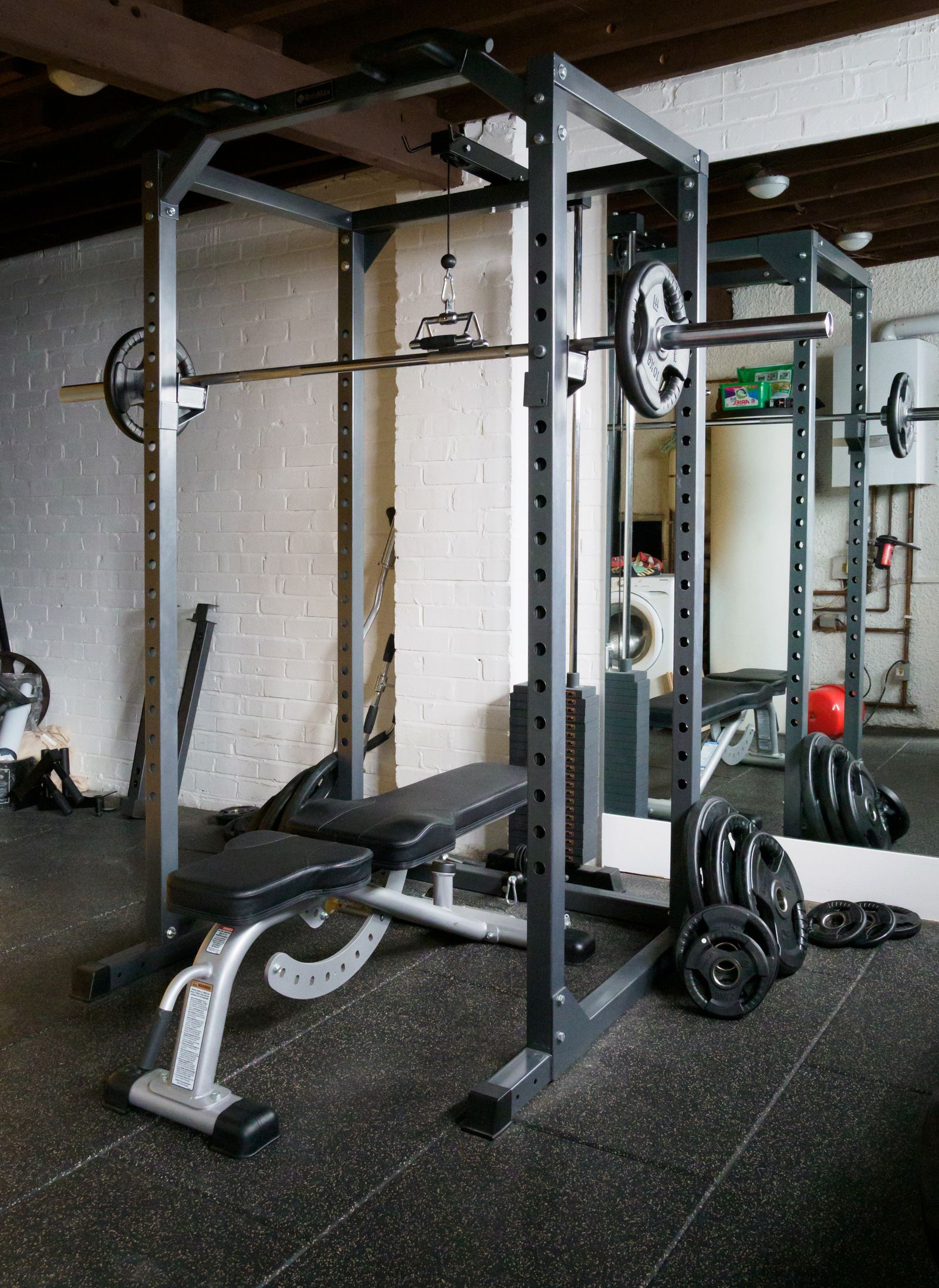
    Like the others, it has a built-in 2-minute timer with 30-second interval pulses even without the app connected. The tradeoffs: it does not carry the ADA Seal of Acceptance, and the same reviewers flagged a “chunky handle” that can be harder for small hands to grip. Its rechargeable battery means one less recurring cost (no AAA batteries) but does require a charging base.

    Buy it if your child needs game-based motivation to brush consistently and you’re comfortable with a companion app. Skip it if you’d rather avoid screens as part of the brushing routine, or if the ADA Seal specifically matters to you.

    Oral-B Kids Electric Toothbrush Bundle: best for character fans and best upgrade path

    The Oral-B Kids Electric Toothbrush Bundle (confirmed at $39.99 on oralb.com for editions like Spiderman) leans hardest into character appeal — the handle, four extra-soft brush heads, and stickers all carry licensed branding, and it pairs with the free Disney Magic Timer by Oral-B app for younger kids who want visual rewards without a full gamified system.

    Oral-B’s own marketing claims its brushes remove “up to 75-100% more plaque” than manual brushing — that figure comes from Oral-B’s own site, not an independent study, so treat it as a manufacturer claim rather than verified fact. For families who want more brushing feedback, the pricier Oral-B iO Kids (~$50–65) steps up to three brushing modes, a pressure sensor, and a 2-minute music timer; Forbes reviewers liked its roughly 28-day battery life and gum-protecting pressure sensor, but flagged the higher price and 6+ age recommendation as limiting for younger siblings.

    Buy it if your kid is motivated by a favorite character and you want a bundle that includes extra heads out of the box. Skip it if you want the ADA Seal or the lowest long-term replacement-head cost — the standard bundle doesn’t carry the seal, though replacement heads themselves are cheap.

    What it actually costs per year (our own math)

    Sticker price only tells part of the story — replacement heads (and batteries, for quip) are the real recurring cost. Below is our own estimate using a consistent 4x-per-year replacement cadence, the interval commonly recommended for toothbrush heads. These are estimates based on typical replacement schedules and current approximate retail pricing, not fixed guarantees, since pack pricing fluctuates by retailer.

    ToothbrushCost per refillReplacements/yearEstimated annual cost
    quip Kids Sonic$11 (combined head + AAA battery)4≈ $44/year
    Philips Sonicare for Kids~$9–11/head4≈ $36–44/year
    Oral-B Kids Bundle~$2–4/head-equivalent in multi-packs4≈ $8–16/year

    The math shifts the value picture: quip’s low sticker price and Philips’ mid-tier price both come with mid-tier ongoing costs, while Oral-B’s replacement heads are noticeably cheaper per year — though the quip refill also replaces the battery, which is a cost the other two don’t have at all since they’re rechargeable. Note that the Philips replacement interval above is general dental guidance (replace any brush head roughly every 3 months), not a Philips-specific recommendation we could independently confirm.

    Does my kid actually need an electric toothbrush?

    Not necessarily. The American Dental Association states that both manual and powered toothbrushes are effective at removing plaque — there’s no blanket ADA recommendation favoring electric brushes for kids. The ADA does note that powered brushes may be easier to use for children and people with limited dexterity, which is where an electric brush can genuinely help.

    Toothbrushes and a tube of toothpaste on a white surface
    Whatever the handle, consistency — two minutes, twice a day — is what actually protects little teeth.

    What matters more than manual-vs-electric is consistency: the ADA recommends brushing twice a day for two minutes, starting as soon as the first tooth erupts around 6 months, using a grain-of-rice smear of fluoride toothpaste under age 3 and a pea-sized amount from age 3 on, with a soft-bristled, child-sized brush. The American Academy of Pediatric Dentistry adds that young children can’t yet brush effectively on their own, so parents should perform or assist brushing well past toddlerhood — a timer or app on an electric brush can help with the “how long” part, but it doesn’t replace parental supervision.
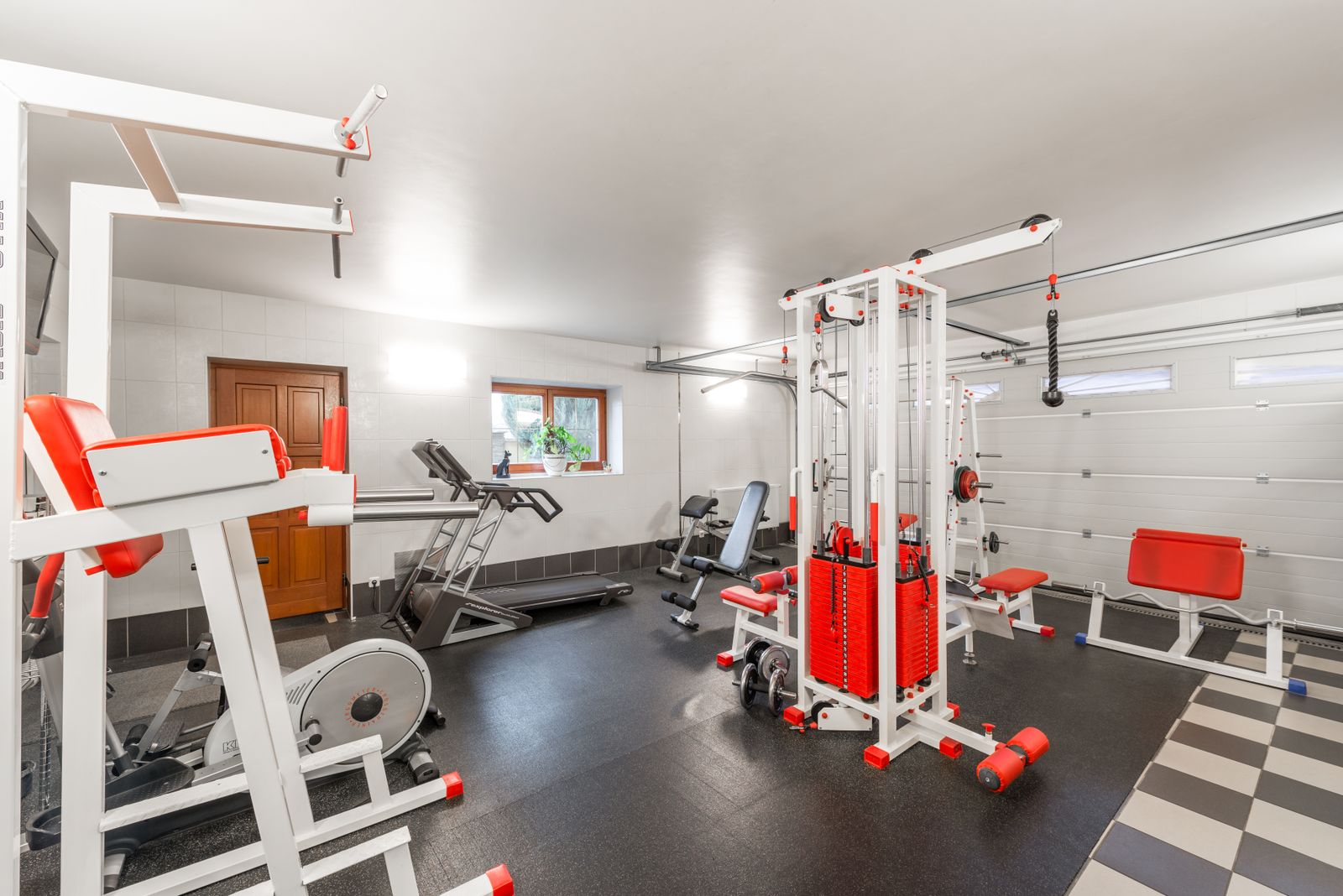
    It’s also worth understanding what the ADA Seal of Acceptance actually means: it’s an independent evaluation that manufacturers voluntarily submit to and pay for. Philips Sonicare for Kids and the Oral-B Kids line not carrying the seal doesn’t mean they’re unsafe — it means those manufacturers haven’t pursued that specific certification for these kids’ models.

    If your child is currently using a manual brush and doing fine with two-minute, twice-daily brushing, there’s no dental-authority mandate to switch. If getting a full two minutes out of them is a struggle, an electric brush’s timer (or an app’s rewards) can make that easier.

    How we compared

    We did not run hands-on lab testing on these three toothbrushes. This comparison is built from manufacturer specifications published on getquip.com, oralb.com, and Philips’ product pages; the ADA’s own product database for seal verification; and verified owner and parent feedback reported by outlets like Forbes and NBC Select. Pricing reflects amounts observed at the time of writing and can change by retailer and edition. For more on how we research and vet products, see our editorial standards. Prices are approximate, current as of publication, and change frequently — confirm the latest price with the retailer before buying.

    FAQ

    Do kids really need an electric toothbrush?

    No — the ADA says both manual and electric toothbrushes remove plaque effectively, so there’s no universal requirement to switch. An electric brush’s built-in timer can help kids who struggle to brush for the full two minutes, but a manual brush used correctly for two minutes twice a day works just as well.

    What age can a child start using an electric toothbrush?

    All three brushes here are marketed starting at age 3, with quip suggesting parental supervision through about age 8. Younger children should still have a parent perform or assist brushing, per the American Academy of Pediatric Dentistry, regardless of whether the brush is manual or electric.

    Does the ADA Seal matter if a toothbrush doesn’t have it?

    The ADA Seal of Acceptance is a voluntary, paid independent evaluation, so its absence doesn’t mean a product is unsafe — it just means the manufacturer hasn’t submitted that specific model. quip Kids Sonic currently carries the seal; Philips Sonicare for Kids and the Oral-B Kids line do not.

    How often should I replace my kid’s toothbrush head?

    General dental guidance is roughly every three months, or sooner if bristles look frayed. quip’s combined head-and-battery refill and Oral-B’s replacement heads are both built around that same 3-month cadence; Philips doesn’t publish a kids-specific interval, so the 3-month rule of thumb is the best general guidance available.

    Which kids electric toothbrush is cheapest to own over time?

    Based on our cost-per-year estimate using a 4x-per-year replacement cadence, the Oral-B Kids Bundle has the lowest ongoing head cost at roughly $8–16/year, followed by Philips Sonicare for Kids at roughly $36–44/year and quip Kids Sonic at about $44/year, since quip’s refill also includes a replacement battery.

    Kids toothbrushes are one corner of a much bigger oral-care category — if you’re outfitting the whole family, our guide to Sonicare vs. Oral-B electric toothbrushes for adults covers the grown-up equivalents of these same two brands, and our breakdown of water flossers vs. string floss vs. air flossers is a natural next step once brushing is dialed in. Parents dealing with older kids or teens curious about cosmetic care can also check our comparison of whitening strips vs. pens vs. LED kits. You can browse more of our dental and grooming picks in shaving & oral care.

    Bottom line

    All three of these brushes meet the basics — a proper 2-minute timer and a design kids will actually pick up. For most families, the quip Kids Sonic Toothbrush is the safest default thanks to its ADA Seal and lower long-term cost. Reach for the Philips Sonicare for Kids if app-based motivation will make or break your kid’s routine, and the Oral-B Kids Bundle if a favorite character is what gets them to the sink twice a day. Whichever you choose, consistency and your child’s dentist’s guidance matter more than the brand on the handle.

  • Drawer Organizers: Expandable Trays vs. Fixed Trays vs. Bamboo Dividers — Which One Actually Stops Drawer Chaos

    Drawer Organizers: Expandable Trays vs. Fixed Trays vs. Bamboo Dividers — Which One Actually Stops Drawer Chaos

    Some links on our site may earn us a commission at no extra cost to you. Learn more.

    The verdict: if your drawer is a deep, irregular kitchen gadget drawer, an expandable tray like the YouCopia DrawerFit earns its price by adjusting to the exact opening. If you have a standard-width drawer full of small items, a fixed drawer organizer tray like mDesign’s five-compartment version is the cheapest way to stop the chaos. If you care how it looks when the drawer’s open — a dresser, an office drawer, a shallow utensil drawer — bamboo dividers like Better Homes & Gardens’ expandable set are the only one of the three that looks intentional.

    At a Glance

    • Best overall: YouCopia DrawerFit Sliding Drawer Bin — expands from 15–24 inches wide, so it fits nearly any deep kitchen drawer instead of guessing a fixed size.
    • Best budget: mDesign 5-Compartment Drawer Organizer Tray — around $18 and no assembly, but only fits drawers close to its fixed 14×11-inch footprint.
    • Best for shallow or display drawers: Better Homes & Gardens Bamboo Expandable Drawer Dividers — natural wood look for drawers you see every time you open them.

    A joint survey from Decluttr and NAPO (the National Association of Productivity and Organizing Professionals) found that 54% of Americans feel overwhelmed by clutter in their homes, and 78% say they either don’t know what to do with it or find the process too complicated to start. A messy drawer is usually where that starts — and where it’s cheapest to fix. We looked at three current, purchasable ways to fix one: an expandable plastic tray, a fixed-size compartment tray, and expandable bamboo dividers.

    The Three Contenders

    YouCopia DrawerFit Sliding Drawer Bin with Adjustable Dividers is a single molded tray that expands to fit drawers 15 to 24 inches wide and roughly 3 inches deep, locking into place with built-in teeth so it doesn’t slide back to its original size. The Kitchn’s review of the product notes it’s rated 4.7 stars on Amazon and highlights that it slides smoothly to let you reach items stored underneath. It typically sells for around $16–$20.

    Kitchen cooking utensils organized together
    The right organizer depends on the drawer — its depth, its width, and whether you ever see inside it.

    mDesign’s plastic drawer organizer tray is a fixed 14×11-inch, five-compartment tray made from BPA-free, shatterproof plastic with non-slip feet. The Kitchn’s hands-on review found it “sleek,” easy to clean, and effective for silverware and small kitchen tools, though the compartments run slim and can crowd bulkier gadgets. It typically runs $17–$18.

    Better Homes & Gardens’ bamboo expandable drawer dividers are individual wood strips, not a single tray — you drop them into the drawer and expand each one to wedge in place, similar in concept to the plastic DrawerFit but built from bamboo and sold as a 2-piece set that spans roughly 17.5–22.8 inches per divider. They’re the only one of the three meant to be seen: no plastic in sight when the drawer’s open.

    Drawer Organizer Comparison Table

    FeatureYouCopia DrawerFitmDesign TrayBH&G Bamboo Dividers
    StyleExpandable single trayFixed compartment trayExpandable individual dividers
    Width range15–24 in (adjustable)14 in (fixed)17.5–22.8 in per piece (adjustable)
    MaterialPlasticBPA-free plasticBamboo
    Typical price~$16–$20~$17–$18Mid-range, sold as a set
    Best drawer typeDeep, irregular kitchen drawersStandard-width utility drawersShallow or visible drawers
    AssemblyNone — expand and lockNone — drop inNone — expand and wedge

    Original Analysis: Cost Per Inch of Drawer You Actually Cover

    Sticker price alone hides the real question: how much of your drawer does that price actually organize? We ran the math using each product’s verified price and its expandable range at both ends.

    OrganizerPrice usedCoverage rangeCost per inch (min–max width)
    YouCopia DrawerFit$15.9915–24 in$1.07 at 15 in, $0.67 at 24 in
    mDesign Tray$17.9914 in (fixed)$1.29 — fixed, no flexibility
    BH&G Bamboo (per divider)Mid-range set price*17.5–22.8 inLower per inch the wider you expand it, same principle as DrawerFit

    *Bamboo divider sets are sold in multi-packs whose per-unit price varies by retailer at any given time, so we didn’t force an exact figure — the takeaway holds regardless: any expandable organizer gets cheaper per inch of drawer covered the closer you push it to its maximum width, while a fixed tray’s cost per inch never changes no matter how you use it. If your drawer runs wide, expandable options are almost always the better value; if your drawer matches a tray’s fixed size exactly, the fixed tray can still win on total price.

    Which Drawer Organizer Fits Your Drawer?

    Drawer typeBest pick
    Deep kitchen gadget drawer, non-standard widthYouCopia DrawerFit
    Standard silverware or utility drawermDesign Tray
    Shallow drawer, dresser drawer, or office drawerBH&G Bamboo Dividers
    Drawer you want to look nice when openBH&G Bamboo Dividers
    Tightest possible budget, standard-size drawermDesign Tray

    Feature Analysis: Where Each One Actually Wins

    The must-have feature for most drawers is adjustability — most kitchen and dresser drawers aren’t a clean 14 inches, and a fixed tray that’s an inch too wide simply won’t sit flush. That’s why the DrawerFit is the standout for deep, irregular drawers: it’s the only one of the three built to lock at a custom width and stay there.

    Wooden kitchen drawers beside a sink
    Adjustability is the feature that separates a snug fit from a tray that rattles around.

    The mDesign tray’s dealbreaker is the flip side of its strength: five fixed compartments are excellent if your drawer happens to be close to 14×11 inches, and a real problem if it isn’t — there’s no adjustment at all. It’s a nice-to-have upgrade only if you’re not measuring first.

    Bamboo dividers trade a little bit of that adjustability range for looks and material — they won’t crack the way some budget plastic does over time, and they’re the obvious pick for any drawer that’s visible when open, like a shallow kitchen drawer near an open-shelf setup or a dresser top drawer. The tradeoff is that as individual strips rather than one molded tray, small loose items can still shift between them more than they would in the mDesign tray’s sealed compartments.

    How We Compared

    We did not physically test these three products. Our comparison is built from each manufacturer’s published dimensions and specifications, verified owner feedback aggregated by outlets that have hands-on tested these exact products (including The Kitchn’s individual reviews of the YouCopia DrawerFit and mDesign tray), and pricing checked at the time of writing, which can shift with retailer promotions. See our editorial standards for how we vet sources and update pricing and availability claims. We do not claim any of these products carries a safety or health certification, and none is relevant to this category. Prices are approximate, current as of publication, and change frequently — confirm the latest price with the retailer before buying.

    FAQ

    Do expandable drawer organizers work in any drawer size?

    Only within their rated range. The YouCopia DrawerFit expands from 15 to 24 inches wide, so a drawer narrower or wider than that range won’t work with it — measure your drawer’s interior width before buying either an expandable tray or bamboo dividers.

    Is a fixed drawer organizer tray ever the better choice?

    Yes — if your drawer’s interior is close to the tray’s exact dimensions, a fixed tray like mDesign’s is usually the cheapest option and needs zero adjustment. The risk is buying one before measuring and finding it doesn’t sit flush.

    Are bamboo drawer dividers more durable than plastic?

    Bamboo won’t develop the stress cracks that some budget plastic dividers can over repeated expansion and contraction, but it can be more susceptible to moisture in humid kitchens or bathrooms than sealed plastic. Choose based on where the drawer is, not just what looks nicer.

    Can I mix organizer types in the same drawer?

    Yes, and it’s common — many owners use an expandable divider set to block off a section of a deep drawer, then drop a smaller fixed tray inside one section for very small items like twist ties or batteries.

    For more ways to fix specific storage problems, see our comparisons of closet organization systems, under-bed and vacuum-bag storage, and clear bins versus fabric storage cubes. Browse more picks in our organization category.

  • Best Weighted Vest for Rucking and Home Workouts: GORUCK vs. 5.11 vs. RUNFast

    Best Weighted Vest for Rucking and Home Workouts: GORUCK vs. 5.11 vs. RUNFast

    Some links on our site may earn us a commission at no extra cost to you. Learn more.

    This article is for educational purposes only and isn’t medical advice. Weighted vest and rucking training add real load to your joints and spine, so if you have back, knee, hip, or cardiovascular issues, talk to a doctor before you start — and stop if something hurts in a way that isn’t just “workout tired.”

    Quick answer: the 5.11 Tactical TacTec Plate Carrier is the best all-around pick for most people because it’s genuinely adjustable, built to survive years of CrossFit and rucking abuse, and priced in the middle of the pack. Budget shoppers should grab the RUNFast/Max Pro instead, and anyone who ruck-marches regularly and wants a purpose-built pack with a lifetime warranty should spend up for the GORUCK Rucker.

    Our verdict at a glance

    • Best overall: 5.11 Tactical TacTec Plate Carrier — the most adjustable, most durable-per-dollar option, and it doubles as a real MOLLE platform for gear.
    • Best budget: RUNFast/Max Pro Weighted Vest — around $50 for the 40 lb version, with the weight already built in, no separate plates to buy.
    • Best upgrade/premium: GORUCK Rucker 4.0/5.0 — purpose-built for rucking, a lifetime repair guarantee, and the most trusted long-term durability reputation of the three.

    Rucking itself has gone from niche military training to mainstream cardio, which is part of why this comparison matters now. The rucking gear market was valued at roughly $0.3–0.4 billion in 2025–2026 and is forecast to hit $1.6 billion by 2036, growing at a 14.9% CAGR, with the U.S. leading regional growth at 18.1% (source: Fact.MR rucking gear market report). GORUCK itself reported Rucker pack sales up 65% year-over-year and a 44% jump in website traffic over the same period (source: National Geographic’s rucking feature) — so if it feels like everyone suddenly owns a weighted vest, that’s not just your algorithm.

    Weighted vest comparison at a glance

    AttributeGORUCK Rucker 4.0/5.05.11 Tactical TacTec Plate CarrierRUNFast/Max Pro
    Price~$265 (vest only; ruck plates sold separately)~$220–250 (carrier only; plates ~$50–200 extra)~$50 for the 40 lb version (weight included)
    Weight rangeDepends on plates purchased; 20L/25L (and 15L) pack sizesDepends on plates purchased; fits medium/large SAPI-cut platesTiers from 12 lb up to 60 lb (broader family listed up to 150 lb)
    Material1000D Cordura, YKK zippers, padded elevated plate pocket with frame sheetRoughly 500–600D nylon/polyester (sources vary on exact fabric weight) with aerospace mesh paddingVest shell with small sand- or steel-filled weight pouches
    AdjustabilityStandard pack straps; frame sheet keeps the plate off your backAdjustable shoulder yoke and 52″–57″ cummerbund via hook-and-loop, one-handed quick-release“One size fits most” with dual straps for weight distribution
    Warranty/returnsSCARS Lifetime Guarantee (free repair/replacement, no receipt or time limit, excludes abuse); 30-day return with tag attached5.11’s standard Limited Warranty against defects; 30-day return if unworn with tags/packagingManufacturer’s warranty included (duration not published); standard Amazon return window
    Best forSerious, frequent ruckers who want a durable pack for the long haulCrossFit, HIIT, and mixed rucking/gym useBudget-conscious beginners testing the weighted vest concept

    GORUCK Rucker 4.0/5.0: the premium rucking-specific pick

    The GORUCK Rucker wins on build quality and long-term support. Rogue Fitness still sells the Rucker 4.0 at $265, while GORUCK’s own site has largely shifted to the Rucker 5.0 at the same $265 price — worth noting honestly since you may see both generations listed depending on retailer, and the differences between them are mostly incremental rather than a full redesign.

    Person walking outdoors while carrying a loaded backpack
    For real trail miles, a rucking pack carries the load like a backpack, not a slab on your spine.

    What sets it apart is the padded, elevated plate pocket with a frame sheet that keeps the ruck plate off your back, so the load rides more like a proper pack than a slab strapped to your spine. Garage Gym Revisited found it fits smaller frames particularly well compared to other rucking packs, and owner feedback consistently describes the 1000D Cordura build and YKK zippers as genuinely durable. The SCARS Lifetime Guarantee backs that up — GORUCK will repair or replace the pack for normal wear or defects with no proof of purchase or time limit required, though hip belts and sternum straps are only covered for one year, and abuse, fire, animal, or washing-machine damage voids it.

    The drawbacks are real, though. Ruck plates are sold separately, so the $265 is just the pack — budget more on top. The 20L/25L capacity also makes it a poor everyday-carry bag if you were hoping to double it as a work backpack, and reviewers note the smaller capacity limits general-use appeal outside of rucking. Buy it if you ruck multiple times a week and want a pack that will outlast years of trail miles. Skip it if you mainly want a strength-training vest for the garage — you’re paying for pack engineering you won’t use.

    5.11 Tactical TacTec Plate Carrier: the versatile mid-range pick

    The TacTec wins on adjustability and general-purpose usefulness. Rogue Fitness lists it at $250 (expect $220–250 depending on retailer), with plates sold separately in the roughly $50–200 range depending on weight. The shoulder yoke and cummerbund adjust via hook-and-loop across a 52″–57″ range, with a one-handed emergency quick-release, and the carrier itself weighs just 2.5 lbs unloaded — light enough to layer over a shirt for CrossFit without feeling like extra gear.

    Person in a weighted vest holding a dumbbell during a workout
    For gym-first training, an adjustable plate carrier doubles as strength-work load.

    Owners describe it holding up through “insane CrossFit workouts” year after year, and its MOLLE webbing means it can carry more than just plates if you want to add pouches later. It also fits a wider range of body types than a fixed-size vest thanks to that adjustable cummerbund. The tradeoffs: it runs hot on sustained wear, so it’s better suited to 30–60 minute sessions than an all-day ruck, and some owners report premature wear at the shoulder-strap stress points. The emergency-release handle can also rub against your throat or collarbone during high-rep movements, and at $220–250 for a carrier alone (before plates), it’s fair to call it expensive for a single piece of workout gear. Buy it if you split time between weighted vest strength work and shorter rucks. Skip it if you’re doing long, hot rucks where breathability over hours matters more than MOLLE versatility.

    RUNFast/Max Pro Weighted Vest: the budget pick

    The RUNFast/Max Pro (also sold as RUNmax Pro) wins on price and simplicity. Men’s Journal reported it discounted to around $50 for the 40 lb version, down from $80, and it comes in multiple weight tiers from 12 lb up to 60 lb, with a broader product family listed up to 150 lb. Unlike the other two vests, the weight is already built in via small 1–4 lb sand- or steel-filled pouches distributed front and back, so there’s nothing extra to buy.

    It’s genuinely popular — over 650 five-star Amazon ratings per Men’s Journal — and owners consistently call it “easy to adjust” and “very versatile” for the price. Garage Gym Reviews gave it a composite score of 4.33/5, but flagged the construction and stitching as noticeably lower quality than the pricier options, going as far as calling the sewing “poorly done” in places. There’s also no detailed formal warranty beyond a generic “manufacturer’s warranty included,” so don’t expect GORUCK-level backing if something fails. Buy it if you want to try weighted vest training without committing $200+ upfront. Skip it if you’re planning heavy, frequent use for years — the stitching complaints suggest it’s not built for that kind of mileage.

    Original analysis: what you’re really paying for per pound

    Sticker prices don’t tell the whole story here, because only one of these three vests includes its weight in the price. The RUNFast/Max Pro bundles the resistance in — $50 for 40 lb works out to $1.25 per pound of built-in resistance. GORUCK and 5.11 are carriers only, so their real cost-per-pound depends entirely on which plates you buy afterward.

    To make that concrete, take 5.11’s own published plate range of $50–200. If you loaded a TacTec with a pair of plates near the low end of that range — say $50 total — for roughly 20 lb of added weight, you’d be looking at $250 (carrier) + $50 (plates) = $300 for 20 lb, or $15 per pound. GORUCK doesn’t publish a bundled plate price, so we won’t invent one, but the same math applies: the $265 pack cost is fixed no matter how much plate weight you add, which means cost-per-pound falls as you load it up, but starts high. RUNFast wins this specific metric by an order of magnitude — you’re simply not paying for pack engineering, a frame sheet, or MOLLE webbing.

    VestBase priceWeight included?Cost per lb (example loadout)2-year cost of ownership (vest/carrier only)
    GORUCK Rucker 4.0/5.0$265No — plates sold separately, price not publishedNot directly comparable without plate cost~$132.50/yr
    5.11 TacTec Plate Carrier~$250No — plates $50–200 extra~$15/lb (example: $300 total for 20 lb using low-end plates)~$125/yr
    RUNFast/Max Pro (40 lb)~$50Yes — weight built in$1.25/lb~$25/yr

    The 2-year cost-of-ownership column treats each purchase as a one-time cost with no consumables, since none of these vests require ongoing replacement parts under normal use. It doesn’t factor in durability differences — a $265 pack with a lifetime repair guarantee that lasts a decade effectively gets cheaper every year you keep using it, while a budget vest with reported stitching issues may need replacing sooner, which would quietly erase its cost advantage.

    Which vest fits your training?

    • Daily or near-daily rucking: GORUCK Rucker — the frame sheet and 1000D Cordura are built for repeated miles, and the lifetime guarantee matters more the more you use it.
    • CrossFit, HIIT, or mixed training: 5.11 TacTec — light, adjustable, and rated for the kind of explosive movement rucking packs aren’t optimized for.
    • Budget-conscious beginners: RUNFast/Max Pro — the cheapest way to find out if you actually like training with added load before spending more.
    • Smaller frames: GORUCK Rucker — specifically noted by Garage Gym Revisited as fitting smaller body types better than comparable rucking packs.
    • Long, hot sessions: Avoid the TacTec for anything past an hour — owners report it running hot on sustained wear — and lean toward the Rucker or RUNFast instead.

    If you’re assembling a broader home gym setup rather than a single piece of gear, a weighted vest pairs naturally with strength basics — see our comparison of adjustable dumbbells if you’re building out resistance training beyond bodyweight-plus-vest work, or our look at resistance bands, dumbbells, and kettlebells if you want variety without a room full of equipment.

    How we compared these weighted vests

    We didn’t strap on all three vests ourselves for this comparison. Instead, we cross-referenced manufacturer specs from GORUCK, 5.11 Tactical, and Rogue Fitness’s listings against verified owner feedback and independent reviews from outlets like Garage Gym Revisited and Garage Gym Reviews, looking specifically for patterns that show up repeatedly — recurring complaints about heat or stitching, and recurring praise for warranty support or durability, rather than one-off reviews. We also leaned on market and expert sourcing from Fact.MR, National Geographic, and Mass General Brigham to ground the rucking-specific claims. You can read more about how we source and vet information like this in our editorial standards. Prices are approximate, current as of publication, and change frequently — confirm the latest price with the retailer before buying.

    FAQ

    How much weight should I start with?

    Dr. Sarah Eby, a sports medicine specialist at Mass General Brigham, recommends starting at around 5% of your body weight. A study cited by Mass General Brigham found vests loaded to 5% of body mass didn’t hurt runner performance, but loading up to 10% of body weight caused a measurable decline, so more isn’t automatically better.

    Is rucking actually effective exercise?

    Jen Wilson, Senior Exercise and Health Practitioner at Nottingham Trent University, put it simply: “Strength training should be for everyone. So, if you love outdoors and the gym is a no-go, adding extra weight to your backpack is excellent for joint health and building strength.” That said, Dr. Eby notes there are benefits, especially for high-performing athletes, but cautions that “not many studies have been done, so we have more to learn.”

    Do I need a vest or can I use a backpack?

    A weighted vest or plate carrier keeps the load closer to your center of gravity and distributes it more evenly than a backpack, which is why purpose-built options like the GORUCK Rucker use a frame sheet to keep the plate off your back. A sturdy backpack with added weight can work in a pinch, but it tends to shift more during movement and won’t offer the same adjustability as a dedicated carrier.

    How often should I ruck or wear a weighted vest?

    There’s no single verified frequency that applies to everyone, and this is exactly the kind of question worth asking a doctor or trainer if you have any joint, back, or cardiovascular concerns. Many people start with a couple of sessions a week at a light load (around that 5% of body weight benchmark) and adjust from there based on how their joints and recovery respond.

    Which weighted vest is best for beginners?

    The RUNFast/Max Pro is the easiest entry point since it bundles the weight into a roughly $50 package and lets you test whether you like training with added load before spending more. Just start light — around 5% of your body weight, per Dr. Eby’s guidance — rather than jumping to the vest’s max rated capacity.

    Bottom line

    All three vests do their core job of adding resistance, but they solve different problems. The 5.11 TacTec is the best-rounded choice for anyone splitting time between the gym and the trail, the RUNFast/Max Pro is the smartest way to test the waters for around $50, and the GORUCK Rucker is worth the premium if rucking is becoming a real habit and you want a pack backed by a genuine lifetime guarantee. Whichever you choose, start around 5% of your body weight and build up gradually — and if soreness lingers after a heavy rucking session, our massage gun vs. foam roller comparison can help you sort out recovery gear too.