Some links on our site may earn us a commission at no extra cost to you. Learn more.
Our verdict: The Schlage Encode Plus is the best of these four smart locks for most front doors, because it’s the only one that combines built-in Wi-Fi, Apple Home Key tap-to-unlock, and top-grade certified deadbolt hardware in a single unit with no hub or bridge. The Ultraloq U-Bolt Pro delivers fingerprint entry and six unlock methods for roughly half the price, the August Wi-Fi Smart Lock is the clear choice for renters because it leaves your existing keys and exterior hardware untouched, and the Yale Assure Lock 2 makes the most sense if you’re deliberately building a Matter-based smart home.
Published July 14, 2026 · Last updated July 14, 2026 · By the PicksWeTrust Editorial Team · How we make our picks
At a glance: our picks
- Best overall: Schlage Encode Plus — built-in Wi-Fi, Apple Home Key, and the strongest hardware certification here; it just works, with nothing extra to buy.
- Best budget: Ultraloq U-Bolt Pro — fingerprint, keypad, app, and key backup at a price the big brands don’t touch.
- Best for renters: August Wi-Fi Smart Lock — installs on the inside of your existing deadbolt in about 15 minutes, so your landlord never knows.
- Best for Matter households: Yale Assure Lock 2 — modular connectivity lets you pick Wi-Fi, Bluetooth, or Matter-over-Thread, and a key-free version eliminates lock picking entirely.
Table of contents
- Spec comparison table
- How we compared these smart locks
- Why is the Schlage Encode Plus our top pick?
- Is the Ultraloq U-Bolt Pro the best value?
- Who should buy the August Wi-Fi Smart Lock?
- Where does the Yale Assure Lock 2 fit?
- What actually separates these four locks?
- Which smart lock should you buy?
- Smart lock FAQ
Spec comparison table
| Schlage Encode Plus | Yale Assure Lock 2 | Ultraloq U-Bolt Pro | August Wi-Fi Smart Lock | |
|---|---|---|---|---|
| Typical price | ~$320 | ~$160–$280 by configuration | ~$170–$230 by version | ~$150–$230; keypad sold separately |
| Install type | Full deadbolt replacement | Full deadbolt replacement | Full deadbolt replacement | Retrofit — replaces interior thumb-turn only |
| Unlock methods | Keypad, app, Apple Home Key tap, voice, physical key | Keypad or touchscreen, app, voice, key (or key-free version) | Fingerprint, keypad, app, auto-unlock, voice, physical key | Auto-unlock, app, voice, your existing key |
| Connectivity | Wi-Fi built in, Bluetooth, Thread for Apple Home | Modular: Bluetooth, Wi-Fi, or Matter-over-Thread module | Bluetooth; Wi-Fi on the Wi-Fi version | Wi-Fi built in, Bluetooth |
| Fingerprint reader | No | Only on the Touch variant | Yes | No |
| Typical battery life | Roughly 6 months on 4 AA | Roughly 8–12 months | Several months to about a year, less with heavy Wi-Fi use | Roughly 3–6 months — shortest here |
| Best for | Most homeowners, Apple households | Matter/Thread smart homes | Budget buyers who want fingerprint entry | Renters and key-keepers |
How we compared these smart locks
We don’t rank locks by spec sheets alone. For this comparison we synthesized long-term owner feedback across retailer reviews and smart-home communities — weighting reports from people who have lived with a lock through at least one battery cycle and one winter — alongside published expert testing and each manufacturer’s own documentation for certifications, battery claims, and compatibility. We pay special attention to reliability patterns that only show up over months: fingerprint readers that get flaky in cold weather, Wi-Fi modules that drain batteries, auto-unlock features that misfire. Where owners consistently disagree with marketing claims, we side with the owners. Prices reflect what we found at the time of writing and move around a lot in this category, so treat them as a guide rather than a promise. Full details are in our editorial standards.
Why is the Schlage Encode Plus our top pick?
Because it’s the lock in this group you’ll think about least after installing it. The Encode Plus has Wi-Fi built into the deadbolt itself, so remote locking, unlocking, and access codes work from anywhere with no plug-in bridge, no hub, and no extra purchase — a genuine differentiator over most of the category, where “Wi-Fi” often means “sold-separately bridge.” It’s also one of the few locks at any price that supports Apple Home Key: hold your iPhone or Apple Watch near the keypad and the door unlocks, the same way tap-to-pay works at a register. Owners consistently describe Home Key as the feature that turns a gadget into an appliance — no app to open, no code to punch in with grocery bags on your arm.
The hardware underneath matters just as much. Schlage builds the Encode Plus on the same top-tier residential-grade certified deadbolt platform as its dumb locks, with tamper alerts and a fingerprint-resistant keypad, and long-term owner reports reflect that: the mechanism itself is rarely the thing people complain about. The complaints that do surface are about price — around $320 at the time of writing, the most expensive full-replacement lock here — a chunky exterior profile on thin doors, and battery life that lands closer to six months than the year some competitors manage, because always-on Wi-Fi costs power. There’s no fingerprint reader, which is a real omission at this price. If your household runs on Android, you lose Home Key, and the value case gets noticeably thinner; the Ultraloq below does more for less if tap-to-unlock isn’t on your list.
Pros
- Built-in Wi-Fi — no bridge to buy or babysit
- Apple Home Key tap-to-unlock is best-in-class convenience
- Top residential-grade certified hardware with tamper alerts
- Works with Apple Home, Alexa, and Google Home
Cons
- Most expensive lock in this comparison
- No fingerprint reader
- ~6-month battery life trails Yale
- Bulky outside housing on slim doors
Is the Ultraloq U-Bolt Pro the best value?
For sheer capability per dollar, yes — nothing else here is close. The U-Bolt Pro typically sells between $170 and $230 depending on version and gives you six ways in: fingerprint, an anti-peep keypad (you can pad your code with random digits so shoulder-surfers can’t learn it), the app, auto-unlock, voice control, and a hidden physical keyway as a fallback. The fingerprint reader is the headline. When it works — which for most owners is the strong majority of the time — it’s faster than Home Key and works for family members without smartphones, which makes it quietly one of the best options for kids and older relatives.
Honesty requires the asterisk: fingerprint readers on locks at this price are the least mature technology in this comparison. Owner feedback is consistent that wet, cold, or dry-skinned fingers produce retries, and a minority of long-term owners report the reader degrading before the rest of the lock does. That’s why the keypad matters — the fingerprint is a convenience layer, not the only door in. The other trade-offs are ecosystem-shaped: smart-home integration is shallower than Schlage’s or Yale’s, remote access requires either the Wi-Fi version or a separate bridge on the base model, and the app is more utilitarian than polished. But judged as a door lock that opens quickly for everyone in your household without a subscription, it’s the value pick and it isn’t close.
Pros
- Fingerprint + keypad + app + key for well under $250
- Anti-peep keypad codes
- No subscription for core features
- Works for family members without phones
Cons
- Fingerprint reader can be inconsistent in cold or wet conditions
- Weakest smart-home ecosystem of the four
- Remote access needs the Wi-Fi version or a bridge
- App is functional but unrefined
Who should buy the August Wi-Fi Smart Lock?
Anyone who can’t — or doesn’t want to — replace their deadbolt. August’s design is fundamentally different from the other three: it attaches to the inside of your existing lock, replacing only the thumb-turn. The outside of your door looks exactly the same, your existing keys keep working, and installation is a screwdriver job most people finish in about 15 minutes. For renters, that’s the whole ballgame. You get remote access, guest access, and voice control without touching hardware a landlord owns, and you can take the lock with you when you move.
August also does two things better than anyone else here. Its auto-unlock — the door unlocks as you arrive home, using geofencing plus Bluetooth — is the most reliable implementation of that feature we’re aware of, and DoorSense, a small sensor that knows whether the door is actually open or closed (not just locked or unlocked), prevents the classic smart-lock failure of bolting the deadbolt while the door stands ajar. The costs: battery life of roughly three to six months is the shortest in this group, the interior unit is undeniably bulky, there’s no keypad in the box (it’s a separate purchase), and with no exterior component there’s no code or fingerprint entry — if your phone is dead and your keys are inside, you’re waiting on a housemate. Homeowners who can swap a deadbolt will get more lock for the money elsewhere.
Pros
- Renter-friendly retrofit — exterior hardware and keys unchanged
- ~15-minute tool-light install
- Best-in-class auto-unlock and open/closed sensing
- Built-in Wi-Fi, no bridge
Cons
- Shortest battery life here (~3–6 months)
- No keypad or fingerprint without add-ons
- Bulky interior unit
- Security still depends on your existing deadbolt’s quality
Where does the Yale Assure Lock 2 fit?
The Assure Lock 2 is the tinkerer’s lock, and the one to buy if you’re betting on Matter. Yale sells it as a modular system: choose a keypad or a touchscreen, keyed or completely key-free, and then pick your radio — Bluetooth only, Wi-Fi, or a Matter-over-Thread module that plugs the lock directly into Apple Home, Google Home, Alexa, and SmartThings through open standards rather than a proprietary cloud. If you already run a Thread border router (a recent HomePod, Apple TV, or Nest hub), the Thread version responds faster and sips less battery than Wi-Fi locks — owners regularly report eight months to a year on a set of batteries. The slim, modern housing is also the best-looking hardware in this group, and the key-free version removes the keyway entirely, which eliminates lock-picking and bumping as attack routes altogether.
The same modularity is the honest knock against it: the buying experience is a maze. Between keypad/touchscreen, keyed/key-free, and three connectivity options, there are enough SKUs that choosing the wrong box is genuinely easy, and the sticker climbs from around $160 to around $280 as you add modules — at which point you’re in Encode Plus territory without the built-in Wi-Fi. Fingerprint entry exists only on the pricier Touch variant. Buy it deliberately, as a component of a smart home you’re architecting, and it rewards you; buy it casually and you may end up with a Bluetooth-only lock that can’t do the remote tricks you assumed were standard.
Pros
- Matter-over-Thread option future-proofs your smart home
- Longest typical battery life here on Thread
- Key-free version eliminates the pickable keyway
- Slimmest, best-looking hardware of the four
Cons
- Confusing lineup of variants and modules
- Fully configured price rivals the Encode Plus
- Fingerprint only on the Touch variant
- Matter benefits require a Thread border router you may not own
What actually separates these four locks?
Must-have differences
Install type is the first fork in the road. Three of these locks replace your deadbolt; August replaces only the interior thumb-turn. If you rent, that single fact outweighs every other spec on this page. The second fork is how you unlock. The Encode Plus is the only one with Apple Home Key tap-to-unlock; the Ultraloq is the only one with fingerprint entry at its base price; August has no exterior entry method at all out of the box. Match the unlock method to your least technical household member, not your most — a lock that only opens via app is a bad lock for a household with a nine-year-old. Third is connectivity you don’t have to think about. Schlage and August build Wi-Fi in; Yale and Ultraloq make you choose versions or add hardware for remote access, which is exactly the kind of footnote that surprises people after the box is open.
Nice-to-have differences
Auto-unlock (August’s is best), open/closed door sensing (August’s DoorSense), anti-peep codes (Ultraloq), tamper alarms (Schlage), and Matter support (Yale, and it matters only if you’re invested in a multi-platform smart home today or want insurance for tomorrow). None of these should drive the decision alone, but auto-unlock in particular is the feature owners either come to rely on daily or turn off within a week — there’s little middle ground in the feedback we reviewed.
One honest caution about batteries
Every marketing page in this category quotes battery life measured under gentle assumptions. Owner-reported reality is consistently 25–50% shorter, especially for Wi-Fi locks on doors that see heavy traffic, and cold snaps knock weeks off alkaline batteries in any of them. All four locks warn you well before dying, and all four have a fallback (physical key, external battery-terminal contacts, or both) — but if changing batteries twice a year sounds annoying, weight Yale’s Thread version accordingly.
Which smart lock should you buy?
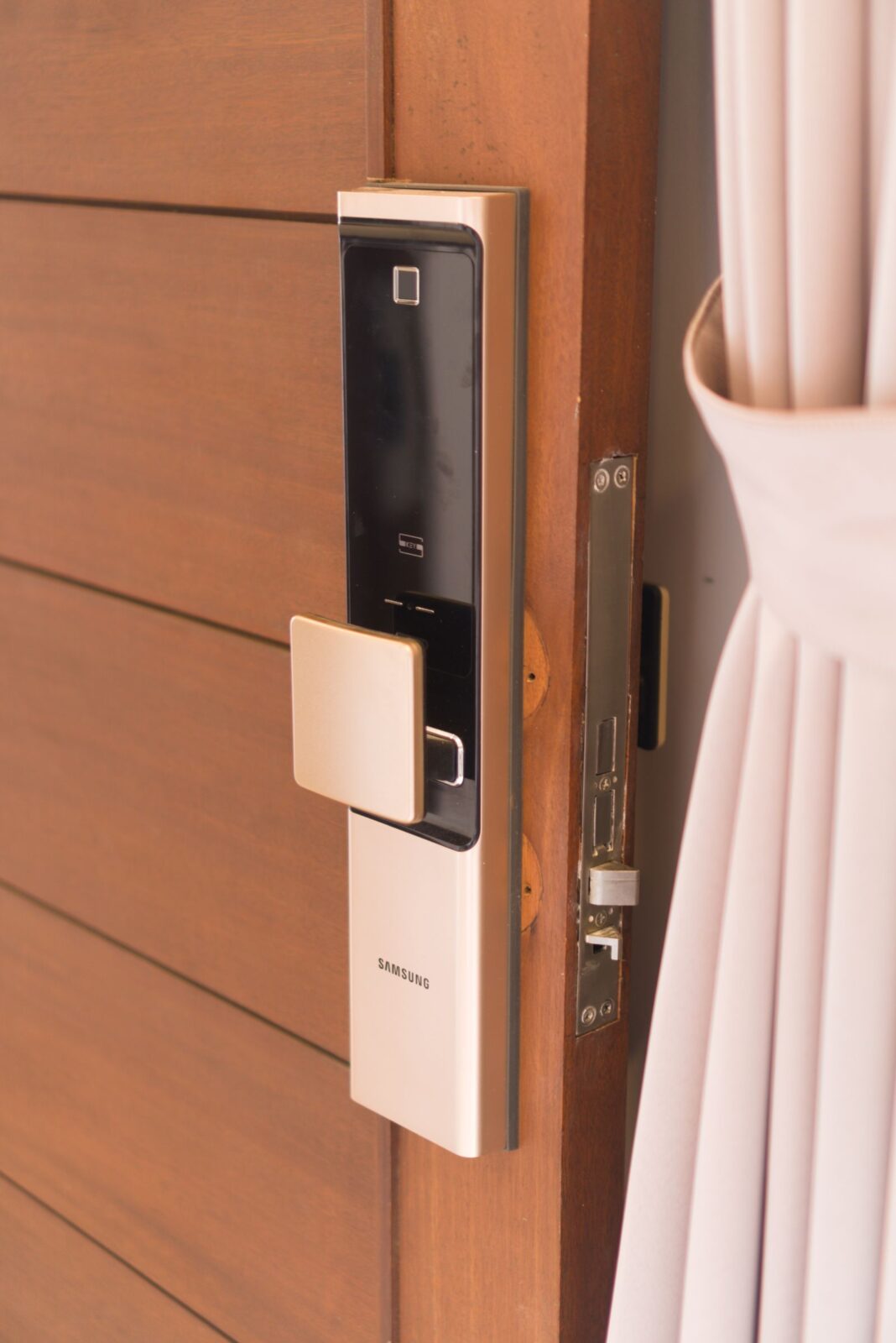
Best for most homeowners: Schlage Encode Plus. Certified hardware, no bridge, and unlock methods that cover everyone from iPhone users to code-punchers. If it’s in stock and in budget, buy it and stop reading. Best for iPhone-heavy households specifically: also the Encode Plus — Home Key is the killer feature, and no other lock here has it. Best for budget buyers and mixed-tech families: Ultraloq U-Bolt Pro. Fingerprint entry means grandparents and kids get in without phones or memorized codes. Best for renters: August Wi-Fi Smart Lock — the only one that doesn’t touch the landlord’s hardware. Best for Matter-first smart homes: Yale Assure Lock 2 with the Thread module, key-free if you’re comfortable going keyway-less. If you’re not sure which camp you’re in, you’re probably in the first one.
Whichever you choose, check the current price before you buy — smart locks cycle through discounts constantly, and we’ve seen every lock on this page sell well below its list price at some point this year. A quick check can save you $50 or more on the same box.
Smart lock FAQ
Do smart locks still work if the Wi-Fi goes out?
Yes. The physical mechanism, keypad codes, fingerprints, and Bluetooth-range phone unlocking all keep working with no internet. What you lose during an outage is remote access — checking or controlling the lock from outside Bluetooth range — and smart-home automations that route through the cloud.
What happens when the batteries die?
You’ll get weeks of low-battery warnings from the app and the lock itself first. If you ignore them all, every lock in this comparison has a fallback: Schlage, Ultraloq, and keyed Yale models retain a physical keyway, August continues to work with your original house key, and several models also support jump-starting the keypad by touching a 9-volt battery to external contacts. Key-free Yale configurations rely on the 9-volt method, which is worth knowing before you choose that version.
Are smart locks less secure than regular deadbolts?
The bolt itself is generally the same certified hardware used in conventional deadbolts — the Encode Plus in particular carries a top residential security rating. Smart locks add digital attack surface (accounts, radios, apps) while removing some physical risk (no keys to copy or lose, and key-free models can’t be picked). For most homes the practical weak point is unchanged either way: the door frame and strike plate. No lock of any kind compensates for a weak frame, and we’d steer clear of any brand that markets its lock as unpickable or unbreakable.
Can I install a smart lock in a rental?
With the August, almost always — it leaves the exterior hardware and your landlord’s keys completely unchanged, and you can restore the original thumb-turn in minutes when you move out. Full deadbolt replacements like the other three usually require landlord permission, since the lease typically requires the landlord to hold a working key.
Keep building your setup
A smart lock pairs naturally with a camera at the door: our video doorbell comparison of Ring, Nest, Eufy, and Blink covers which one to put above the deadbolt, and our Ring vs Arlo vs Wyze security camera face-off handles the rest of the perimeter. Every device on this page is only as reliable as the network behind it, so if your router struggles to reach the front door, start with our Eero vs Nest vs Orbi mesh Wi-Fi comparison. You’ll find all of our connected-home coverage in the Smart Home category.